My first contact with Apple’s Fitness+ 😍 (#apple #fitnessplus #service)
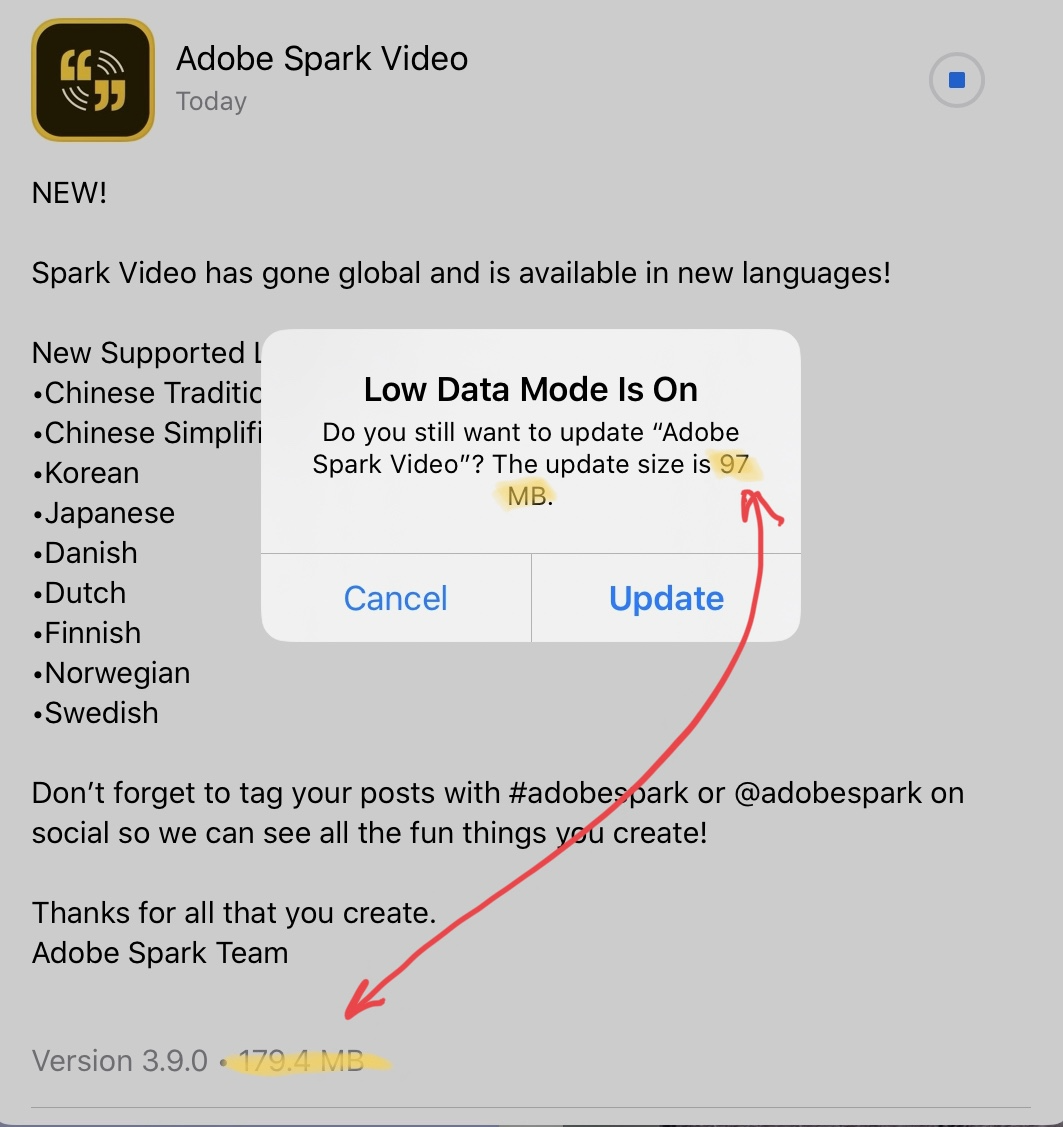
Fitness+ Workout Summary

Yesterday Apple launched their latest service offering: Fitness+. I gave it a try, and I fell in love. The first step was to update all my supported devices: the iPhone, my Apple Watch and my Apple TV. After spending a few minutes glancing at the different type of workouts, I elected to do a twenty minutes treadmill workout using my iPhone and my AirPods Pro. For this session, Jamie-Ray was my coach. As you can see, I think I made pretty well. I liked everything about the experience, from onboarding to the actual workout session with on-screen feedbacks and the finale. The music choice was good too! After my session, I gave a look at the Apple TV Fitness application. Upon launching the app, you have to select the Apple Watch associated with the person who will interact with the service. One note, if your Apple Watch name is too long, spacing on the screen won’t allow you to easily see which Apple Watch is which; you’ll have to wait so see the text to scroll, it’s a bit of an annoyance. I checked a few workout previews and sure enough, the video quality is exceptional on the Apple TV 4K.

All in all, this is a great start for Fitness+. It’s probably the best example of the whole being larger than the sum of its part. The combination of great devices, great content, great user experience, impeccable execution are the ingredients and enablers for the best experience. Bravo Apple.

Oh, I’ll try to exercise five to six days a week.
What happens when an M1 Mac starts up? Fascinating. (#apple #m1chip #applesilicon)

M2 chip logo

What happens when an M1 Mac starts up? – The Eclectic Light Company:

You can learn a great deal from the unified log entries of a system startup, and that for an M1 Mac is even more fascinating for the insights it gives into the hardware in the M1 system-on-a-chip (SoC). These were obtained from an M1 MacBook Pro with 8 CPU cores and 8 GPU cores running macOS 11.0.1 fairly clean, and in full Secure Boot.

I always liked low level stuff in computers. I learned 6502 assembly language (if we can call this a “language”) when I was a teenager. If you’re into these type of things, it is a fascinating short read that opens the door to what is going on in your M1 Mac.

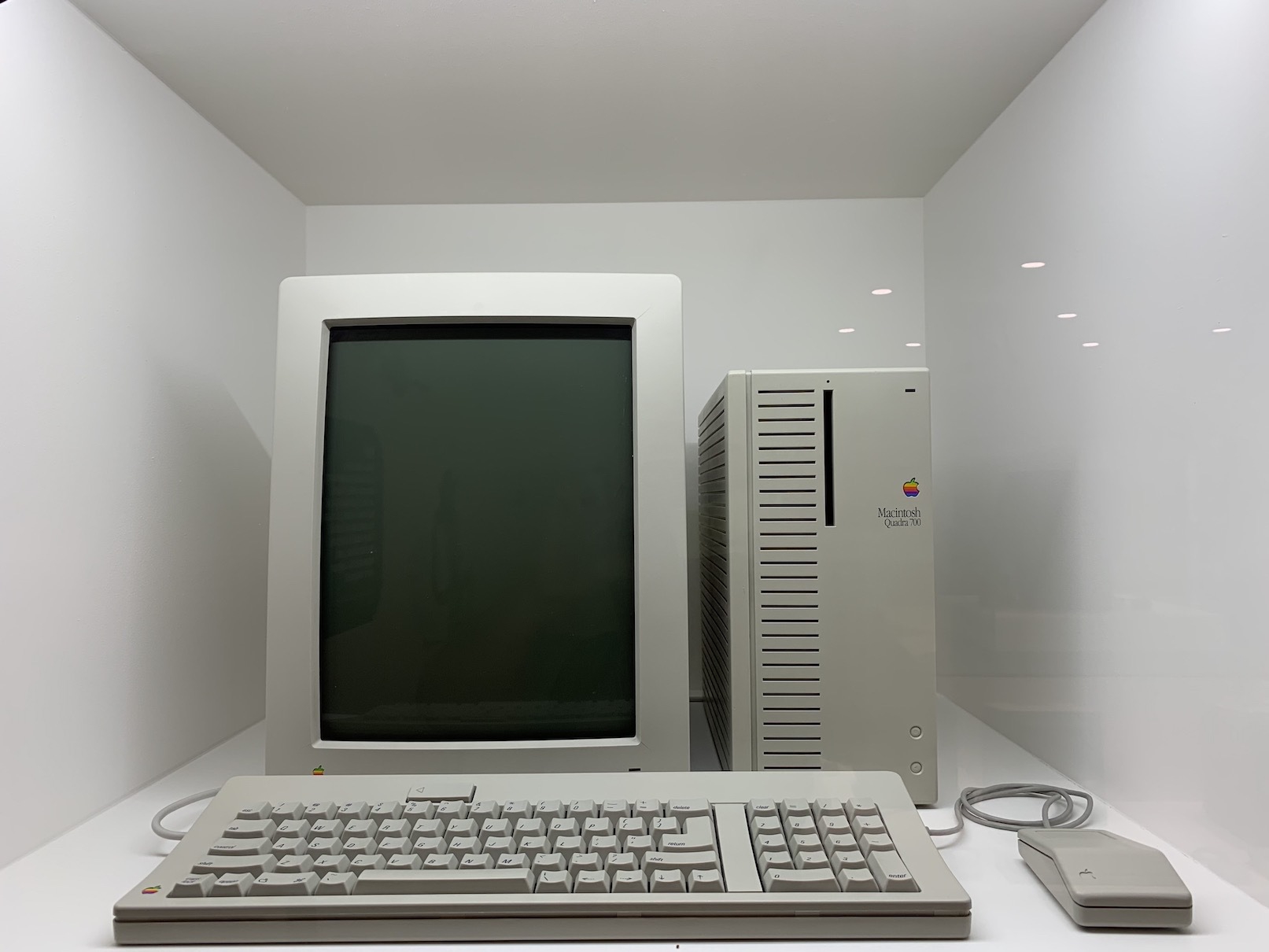
Remember de Macintosh Quadra 700? (#apple #vintage #Mac #Macintosh)

Macintosh Quadra

Working from home at 25MHz: You could do worse than a Quadra 700 (even in 2020) | Ars Technica:

The '040 was a substantial upgrade over the '030 that had previously been used by Apple. It featured 1.2 million transistors, over four times as many as its predecessor. This processor increased the L1 cache size by a factor of eight to 4096 bytes, and it was the first 68k processor to have an on-board floating-point unit (FPU). While not without its drawbacks, the '040 processor was an obvious candidate for Apple's next line of premium workstations at the time. And this line would become known as “Quadra,” starting with the Quadra 700 and 900 models in late 1991.

In 1990-1991, I was working for an Apple authorized dealer. I remember the Quadra line, in particular, the 700. It was the most popular machine among desktop publisher. It was fast. I liked its vertical and boxy look. It was different. What is interesting is the description of the Motorola 68040 processor. Compare this to the Apple Silicon, it’s simply unbelievable. The M1 chip comes from an alien world.

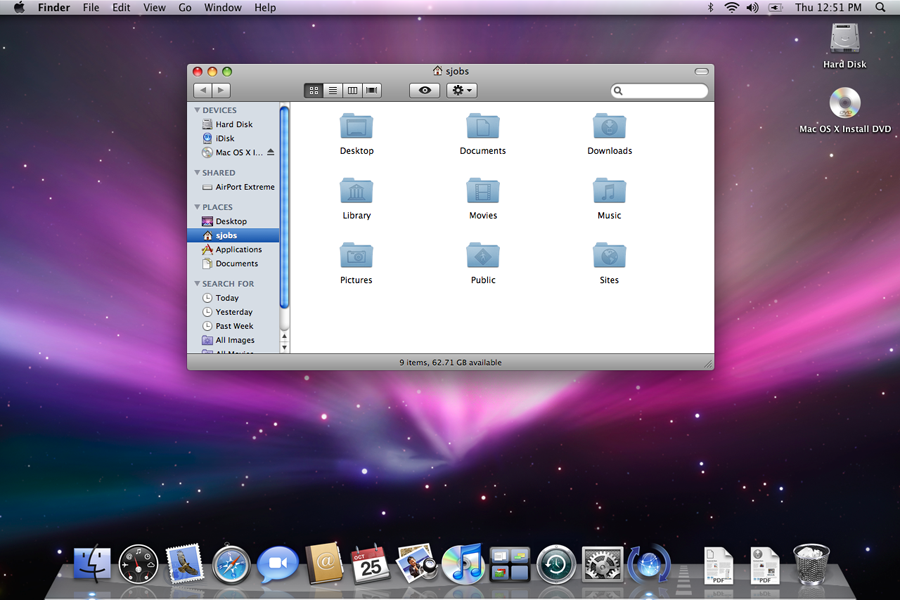
When no new features was a feature (#Apple #macOS #snowleopard #2009)

Leopard launch

Published by BasicAppleGuy, a short survey of his experience with MacOS Snow Leopard, back in 2009. I remember Steve Jobs talking about this release of MacOS as a pause in new features introduction in order to build the foundations for the next decade of MacOS (now spelled macOS). In fact, I would argue that, no new flashy feature was a new feature in itself. Something Apple could do these days. Their operating systems are muc more complex and feature rich, Apple is not standing still either. I cannot see them doing this.

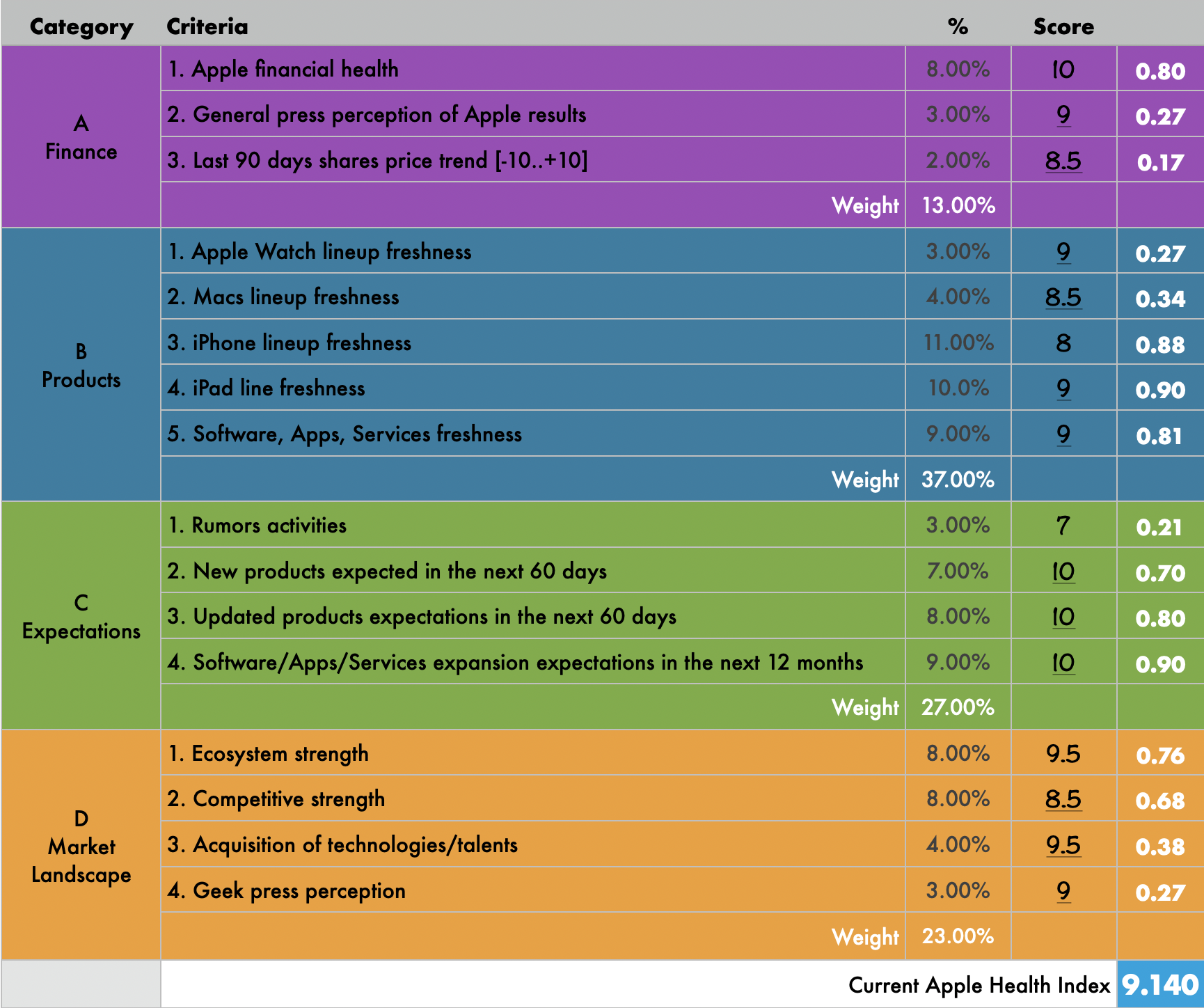
The Apple Health Index (#apple #finance #marketplace #products #expectations)

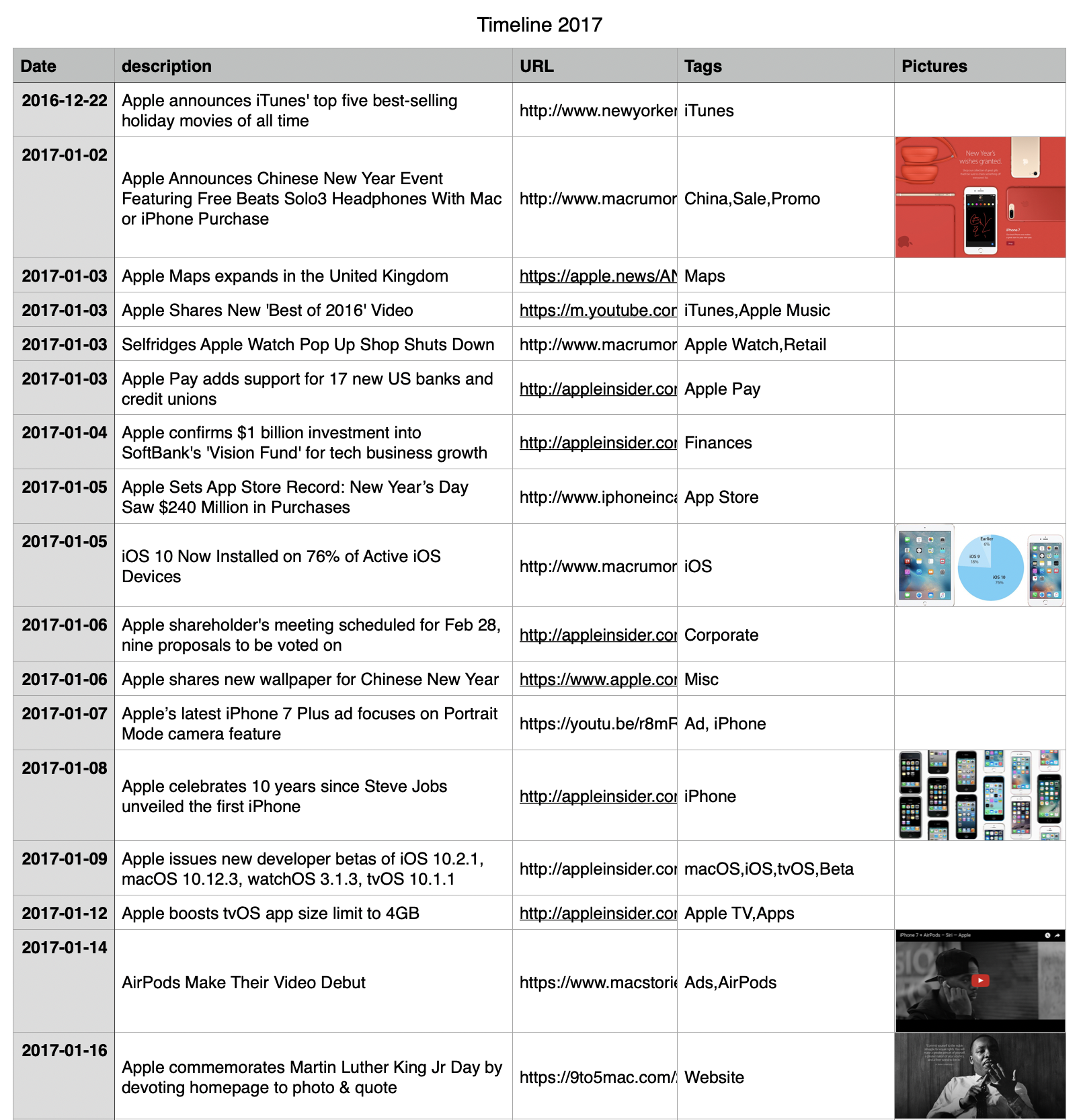
Apple Health Index Table

For a while, I used to maintain a table of measures related to Apple that were in four categories: Finance, Products, Expectations, Market Landscape. Each attributes had his own ponderation. I wold give a scope from 0 to 10 on each of them. A formula would calculate something call the Health Index. I would revisit this table four times a year. It was obviously totally subjective but it was fun to do. Today, their score would be 9.140 out of 10. Not bad.

Did you know... ? (#apple #iOS #tips)

UntitledImage

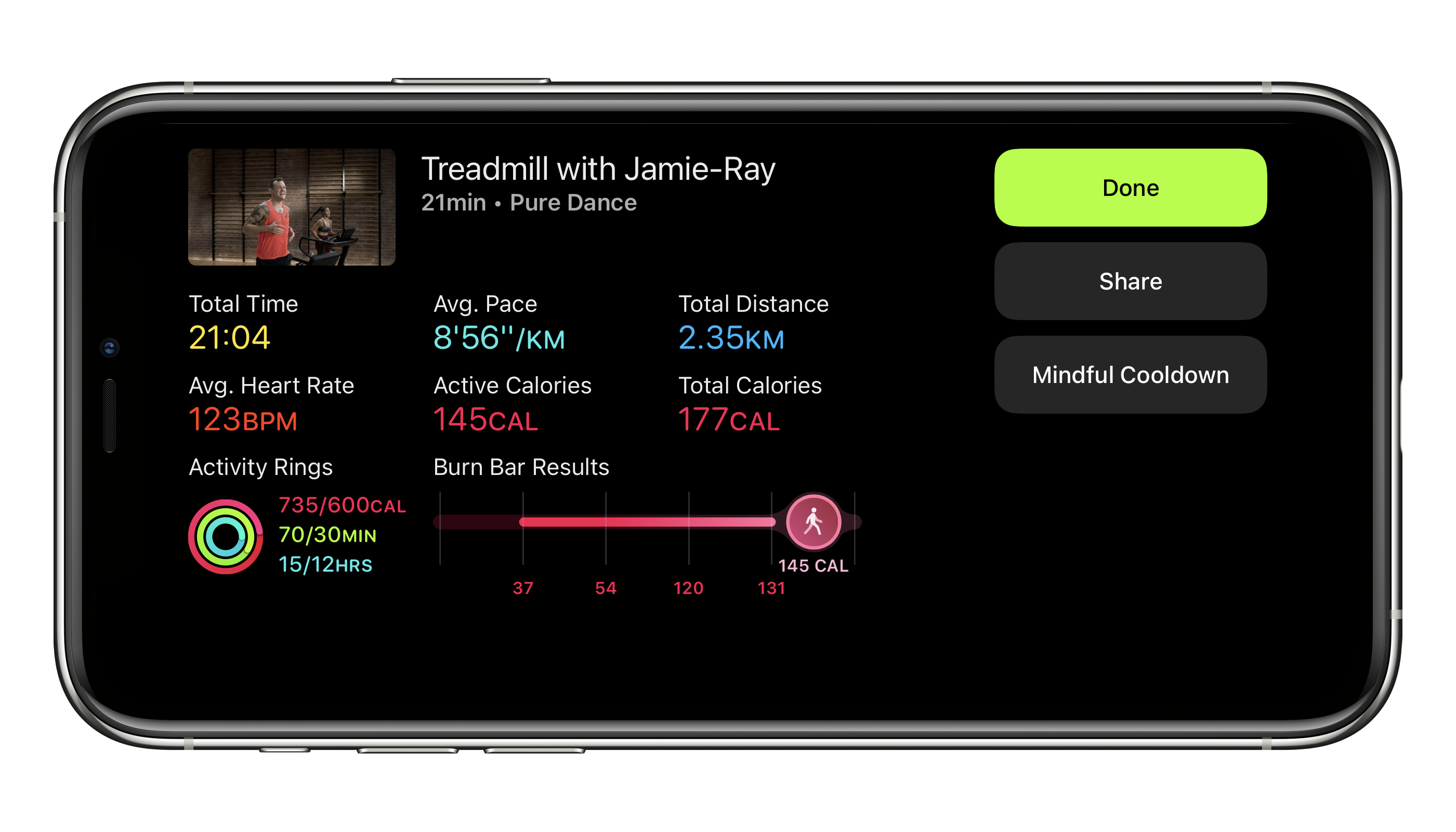
When you get an update from the App Store stating a size of, let’s say 179.4 MB, this doesn’t represent the actual amount of data that will be downloaded. In fact, depending of your device, the size will be much smaller. If you want to see this in action, turn on Low Data Mode. Then, go to the App Store and download an application update and look at the actual size of the download in the alert box. Tadam!

Detailed Apple Maps comes to Canada 🇨🇦🗺! (#apple #applemaps)

At long last, Apple’s detailed maps is now available for Canada! Not only we get more details in maps and better driving directions, we also get guides and the look around which is, in my opinion, way better designed than Google’s street view. I wasn’t expected them but they are certainly nice bonuses! Detailed maps were first introduced in iOS 13, more than a year ago.

Now, if only we can get rid of COVID-19, I may start to use Maps more frequently. 😔