If you’re a Craft user and are looking for ways that Gen AI could add value to the Craft Assistant, I wrote this document. I think there is an untapped potential in Craft because of minimalistic support for the ChatGPT entry-level model. Feedback is welcome.
The Next One Is My Best
I just completed recording my next YouTube video (my YouTube channel), which will come out early next week. It’s probably the one I’m the most proud of at many levels. The release will match the release of a new version of an app that I like a lot 🤫. Technically, the sound is good. I’me using Bezels to demo the app on the iPad and the iPhone, a first for me. The video structure seems logical and should help the viewers in learning new things. Can’t wait to share that one. I hope it will get the attention I’m hoping for. 🤞🏻
The Arc Browser is the perfect browser to consume my Micro.blog timeline. In fact, it’s the best browser to consume, period. I’m (mostly) in love. I know, I may be late to the party.
Currently exploring and testing the Arc browser. This thing looks seriously cool. I wish Apple invented it. My only serious concern is iCloud Keychain support. 👀🤔
Message to me📌: don’t subscribe to Scribbles. don’t subscribe to Scribbles. don’t subscribe to Scribbles. don’t subscribe to Scribbles. don’t subscribe to Scribbles. don’t subscribe to Scribbles. don’t subscribe to Scribbles. I left Write.as to focus on Micro.blog, why try Scribbles? It makes no sense.
Just spent 15 minutes trying to figure out Safari Profiles, tab groups, etc. Am I alone in thinking that this is far from being user-friendly? I just can’t understand how these things work together.
Imagining Micro.blog’s Next Big Offering — I Think I Cracked It!
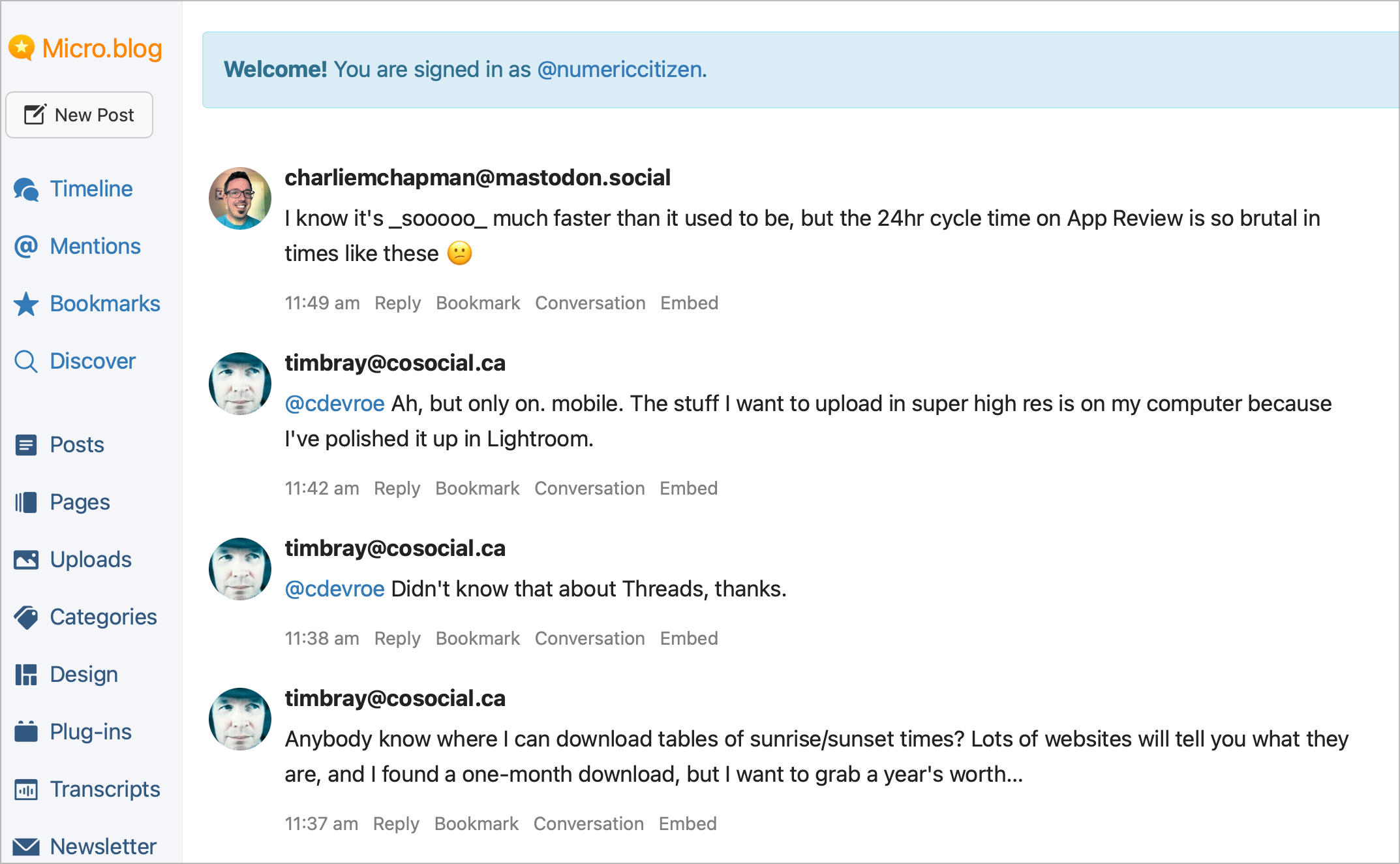
I’m wondering about this upcoming Micro.blog “big new feature” quite often. What new feature could require its own section on the left sidebar? What could mandate the release of companion apps on iOS and Android? Let’s try to think about it for a minute.
So, MB already covers text (as blog posts), more generic content (as pages), photos, books, newsletters, and podcasts. What’s missing here? Videos? Movies? Something else? Could Podcast be more explicitly exposed where the Transcript section becomes Podcast? Is MB building its own podcasting player app? Or a podcast recorder? Can AI play a role in this new feature?
But what else is missing from Micro.blog? Instant messaging? I own a Wavelength group of Micro.blog users. The group is currently hosting 50 users. Here’s the invite link. Near real-time interactions are something I wish Micro.blog had for supporting discussions about specific events1. Frankly, instant messaging is probably the closest thing I can think of that would require a dedicated section and a dedicated set of apps on mobile devices.
Your thoughts? Please join in! 🙏🏻
-
Like Apple Events, sports events, etc. ↩︎
I’m excited for Tapestry, so I’m supporting it. Mastodon, RSS feeds, and Bluesky can be quite busy sources… how Tapestry is going to tackle high-velocity information feeds is interesting.
I just lost 20 minutes of my life trying to figure out how to log back into a Slack community with the original email that I used initially. It’s probably the most frustrating experience I ever experienced. Slack is unique in that respect, and I just don’t get why it didn’t evolve over time. I ended up creating a new account, which made me lose all my past conversations. 🙄
The work to switch my blog’s visual theme is going really well. It’s a bit easier than I thought to set the desired colour theme, thanks to the plugin’s settings and user-friendliness. I may try the switch tonight, so buckle up during the transition. Reminder: I’ll switch from TinyTheme to Cards Theme. Why? Here’s why: 1) the overall design gives some bit of depth to the content. 2) Post categories are exposed and provide an easy way to browse the blog content. 3) The theme plugin settings give some flexibility. 4) Long posts with a title look better. 🛠️