🔎 Calling for hints: what do you use for sharing text snippets or sharing a single image with others (something like “pastebin”)… 👀
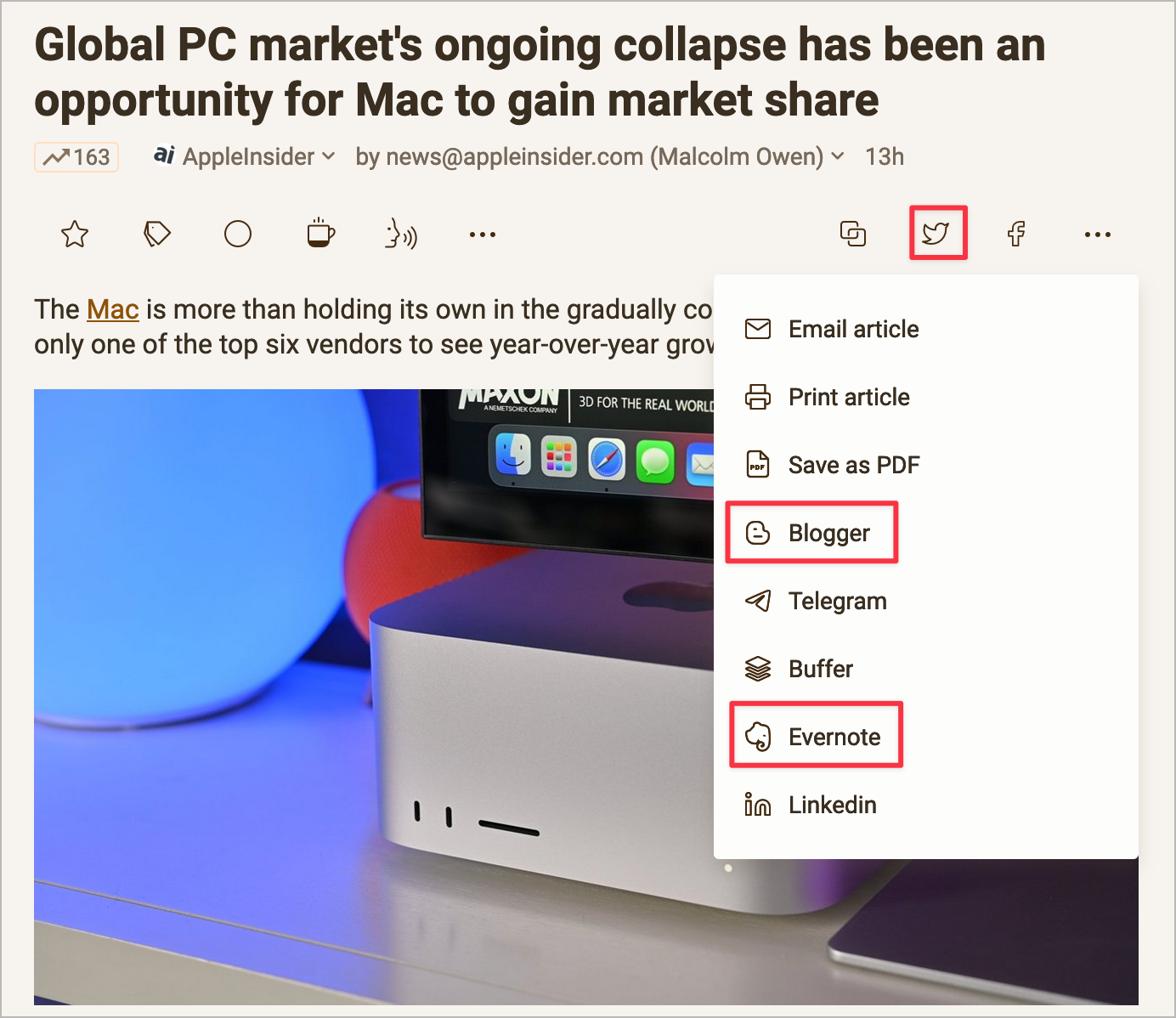
I’m a big fan of Inoreader. Make no mistake. But one quick comment. Consider the following screenshot where you can see the article-sharing option. You can see options like Blogger, Evernote, and Twitter. The first two options are dead horses. I mean, Blogger, really? Evernote is the next in line to die. The third is soon to be a dead horse, too. No other options are provided. I’m surprised that we don’t get to send an article by Fax, too.
Notion Can Be Impressive
I’ve been working hard with Notion at work for a unique project. It’s a 14-database setup containing 18 database relationships, many calculations as well as a place for knowledge management. I think I’m pushing the boundaries of what Notion is all about. It’s still manageable, and Notion still is speedy. I’m really impressed by what this tool can help achieve. 🤩🤯
On Data Portability in the Modern Digital World
I recently read about the news that Evernote is currently downsizing its operations worldwide, especially in the US. It’s not the first troubling episode for Evernote. I remember when they “redesigned” their app, which created a massive pushback from the community.
I used Evernote in its early days and was appreciative of its capabilities. For some reason, I left for another solution. But for those who built massive data collections inside Evernote, now might be the time to think about going elsewhere. But there is a big gotcha: after searching for a way to export all the data, I discovered that it’s not that easy. And people are angry. This brings me to the data portability of modern software and services. Evernote’s ENEX export format was not a standard the last time I checked. A handful of apps can import ENEX files; Notion is one of them. HTML is also supported but is far from ideal. Options are limited and are seriously hindering the data portability of services like Evernote. Besides content, metadata is also critical (tags, dates, location, backlinks, etc.).
Is Notion suffering from the same potential issues? PDF, CSV, and HTML are the supported formats. 🤔
For those interested in what others are using in their workflow, I spent some time this early morning updating My Complete Content Creator Toolset. Added Plausible + Tinylytics, among other things.
Even as a satisfied Plausible analytics subscriber (see current analytics), I proudly support @tinylytics on my blog (see current analytics). I paid for a year to show my support in a more concrete manner.

This screenshot is from Patreon about my profile page there. You can share a page on social networks when creating a page there. It’s a common thing to do, right? I’m wondering when Facebook and Twitter will stop to be the only two options for sharing stuff on the web. Pinterest is nice but what about the open web like Mastodon? Or Bluesky…?
A 60-minute Video Tour of Pixelfed
I’m finally ready to share my 60-minute video tour of Pixelfed. If you’re contemplating the idea of creating your account on Pixelfed, I encourage you to do so, but after watching this video. You’ll learn about Pixelfed’s capabilities. It’s not a comparison analysis with services like Flickr or Smugmug, though.
Finished recording an hour-long video about Pixelfed. Yep. 60 minutes. If you are on the fence, that’s the one video that you should watch. Online soon.
The next time someone tells me that Mastodon is complicated, I’ll respond: try Discord. You ain’t see nothing yet.