Building a 'Relationship' With Corporations

I tend to be super loyal. I’ve been an Apple fan forever (read “The Roots of my Passion for Apple”), even though there are things that put me off (too many to list here). The same is slowly happening with OpenAI. I’ve tested alternative services but always come back to OpenAI’s offerings. They’re far from perfect—just like Apple—both from a corporate point of view and in terms of products and services. And yet, I’m increasingly hooked on ChatGPT, Atlas, and their LLM “personality.” The conversation memory in ChatGPT and the browser memories are helping build this relationship on the knowledge OpenAI is slowly building on me. It’s scary.

ChatGPT Atlas is for?

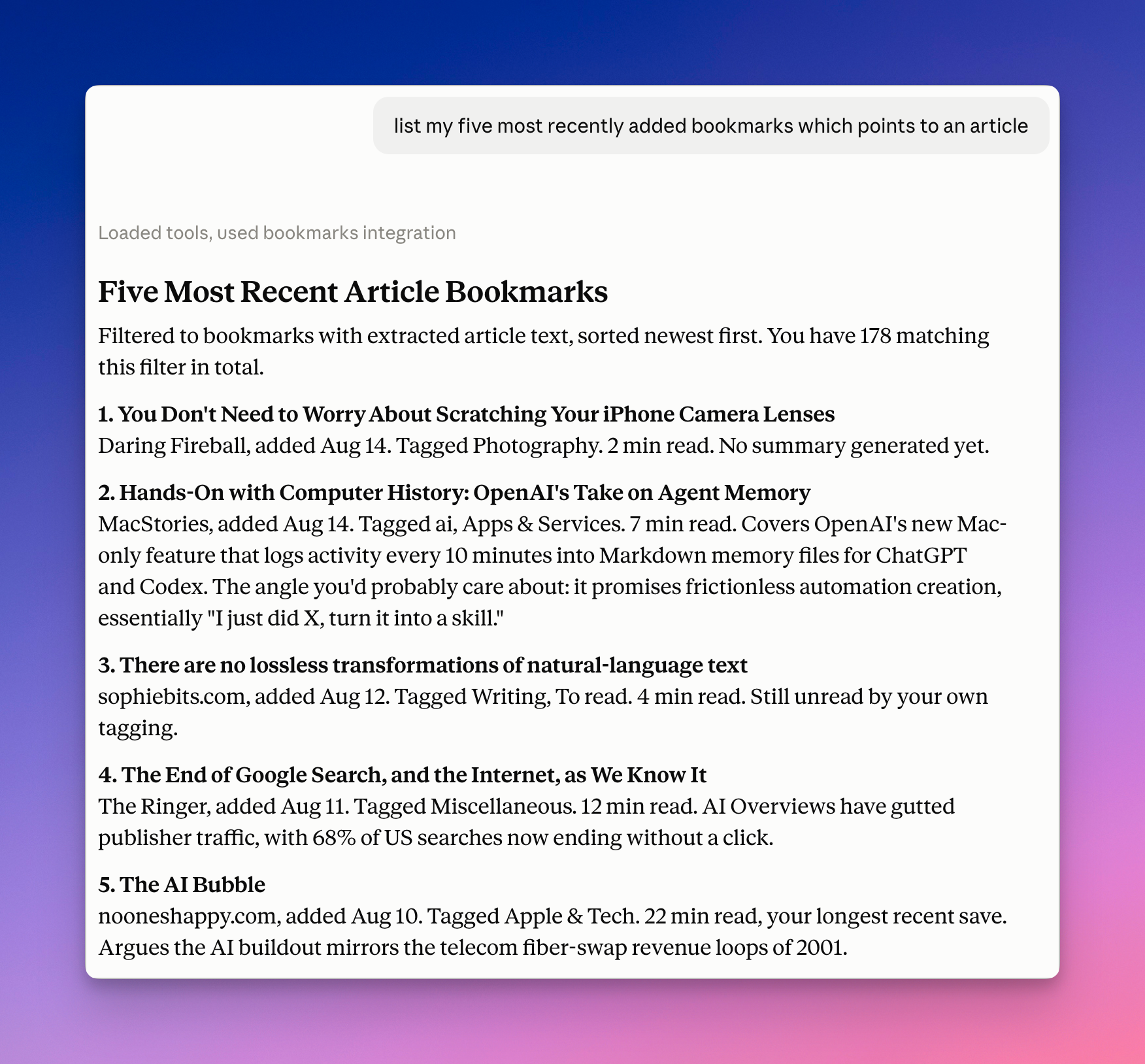
I’ve been testing the ChatGPT Atlas browser heavily in recent days. It’s already controversial, but I’m in the camp that likes it. Of course, this is Chromium with a ChatGPT button bolted on. But that’s the point: helping eliminate app switching that I was constantly doing anyway. Of course, it’s not the real web experience, but who said OpenAI was pretending to offer the classic web as we’ve known it over the last 30 years? Those years are already behind us, you like it or not. One thing I do is summarize my browsing activities, focusing on reading my RSS feeds in Inoreader. It’s very impressively done, complete with a back link to each Inoreader article. I’m not using, and don’t plan to use, agentic browsing activities due to their apparent lack of maturity and highly questionable security issues.

Speaking of Inoreader: the service allows you to summarize a bunch of selected articles using AI, but it’s an extra that costs more! With ChatGPT Atlas, a simple prompt while browsing an RSS feed or a group of RSS feeds does the job wonderfully.

More to come soon.

Hot Take on ChatGPT Atlas - More Thoughts

The original ChatGPT Mac client is now mostly integrated into this new web browser. Chrome extensions are supported. My use of the Mac client might decrease significantly over time. Having ChatGPT inside the browser has big implications for my reading and information workflows. Processing YouTube videos is easy; everything happens within the same app. Thought: Google’s cautious AI integration in its browser (Gemini) might stem from a fear of conflicting with its business model, which involves tracking users to sell ads. How do you sell ads within AI-generated content? I could try using ChatGPT Atlas as my main desktop browser for a few days to see if it truly makes a difference.

Hot Take on ChatGPT Atlas

From the initial download, install up to a few visited websites and prompts. Here’s my hot take. Nice icon. Nice onboarding, but with a few typical sets of questions (default browser, import current bookmarks). Minimalistic browser window. Just like Dia! Another Chromium wrapper? It better be good. I like the integration with ChatGPT and the browser memory. I wonder if it is linked to my ChatGPT memory. It seems yes! I wonder if ChatGPT Atlas could replace the ChatGPT client altogether because all my past conversations are available in a collapsible left sidebar. The integration of ChatGPT’s past conversation, memory, and current browser context seems a powerful combination. Bye-bye, Dia, please, return to developing the ARC Browser. More to come soon.

The Illusion of Decline: Apple, Complexity, and the Myth of Falling Quality

Reading The Great Software Quality Collapse by Denis Stetskov reminded me of a recurring conversation in the Apple community: that Apple’s software quality isn’t what it used to be. Every release cycle brings the same chorus—bugs, regressions, performance oddities—and the sense that the polish once synonymous with Apple is fading. But Stetskov’s essay helped me reframe that perception. Modern software isn’t just “worse”; it’s exponentially more complex. Apple now maintains multiple platforms—macOS, iOS, iPadOS, watchOS, visionOS—each with deep integrations and overlapping technologies. What once felt like craftsmanship at the scale of a single ecosystem is now a sprawling web of dependencies that even Apple struggles to tame.

So, maybe the cracks we see aren’t evidence of negligence but of scale. Perfection doesn’t scale well. The discipline that Stetskov calls “boring engineering” still exists within Apple, but it’s buried under layers of ambition, abstraction, and velocity. His piece is a reminder that our expectations of elegance must evolve alongside the complexity of what we ask these systems to do. The problem isn’t just that software breaks—it’s that we’ve forgotten how miraculous it is that it works at all.

Using My M4 iPad Pro (iPadOS 26.1b1) With An External Display - Observation #5

One of the most frustrating and hard-to-understand behaviours in the new iPadOS 26 multitasking is when iPadOS, for some reason, breaks all the running apps and window arrangements. I often find myself in need of relaunching the apps and doing window placement to my liking. Again, iPadOS 26 is exhausting to use. I think this happens if I disconnect the external display. Restoring computing state is a basic principle in UI and UX design. Am I demanding too much?

Using My M4 iPad Pro (iPadOS 26.1b1) With An External Display - Observation #3

Doing serious work on the iPad now feels… exhausting. The efforts that you have to deploy to avoid the too many paper cuts is exhausting. I don’t know who, at Apple, is working on Files.app but the team should get in touch with those who work (if they are still there) on the Mac Finder. I ended up doing many of the files management tasks on… the Mac.

Photomator doesn’t work well with files located on a remote SMB share, apparently. After granting permission to the root folder as requested, Photomator is stacked in a “Processing…” loop. Not good.

Using My M4 iPad Pro (iPadOS 26.1b1) With An External Display - Observation #2

The iPad running Files.app with two windows, side-by-wide for easier file management.

Working with Files.app is still very frustrating and unpredictable. For some reason, I cannot drag & drop a file from my iPad downloads folder to a specific folder (on my Synology). The only way to get around this is to go up in the folder hierarchy, drop it there then later move it inside the intended target folder. Also experienced one crash with numerous “Content Unavailable” conditions like shown on this screenshot. So far, no file management done. WTF? Let’s try harder.

Using My M4 iPad Pro (iPadOS 26.1b1) With An External Display - Observation #1

My current iPad desktop on the external display.

I just started a one-hour work session with my M4 iPad Pro connected to an external display (LG 5K Ultra Fine) running iPad OS 26.1 beta 1. I should probably update this article I wrote more than a year ago: “Using the iPad With an External Display — Space Oddities”. Let’s see how it goes.

First issue: I started writing this blog post in Micro.blog client. Sadly, Micro.blog’s iPad app is buggy with an external display: I cannot set the blog post category… the little gear icon is missing and iPadOS 26 menus aren’t supported, yet. My fallback plan: Ulysses. Works great. Next step: doing some files management with Files.app using an SMB share on my Synology NAS. Let’s see how it goes. Oh, and ShareShot works… but not without strange visual issues.