Is ChatGPT enshitification about to begin? It certainly looks like it. Fuck.
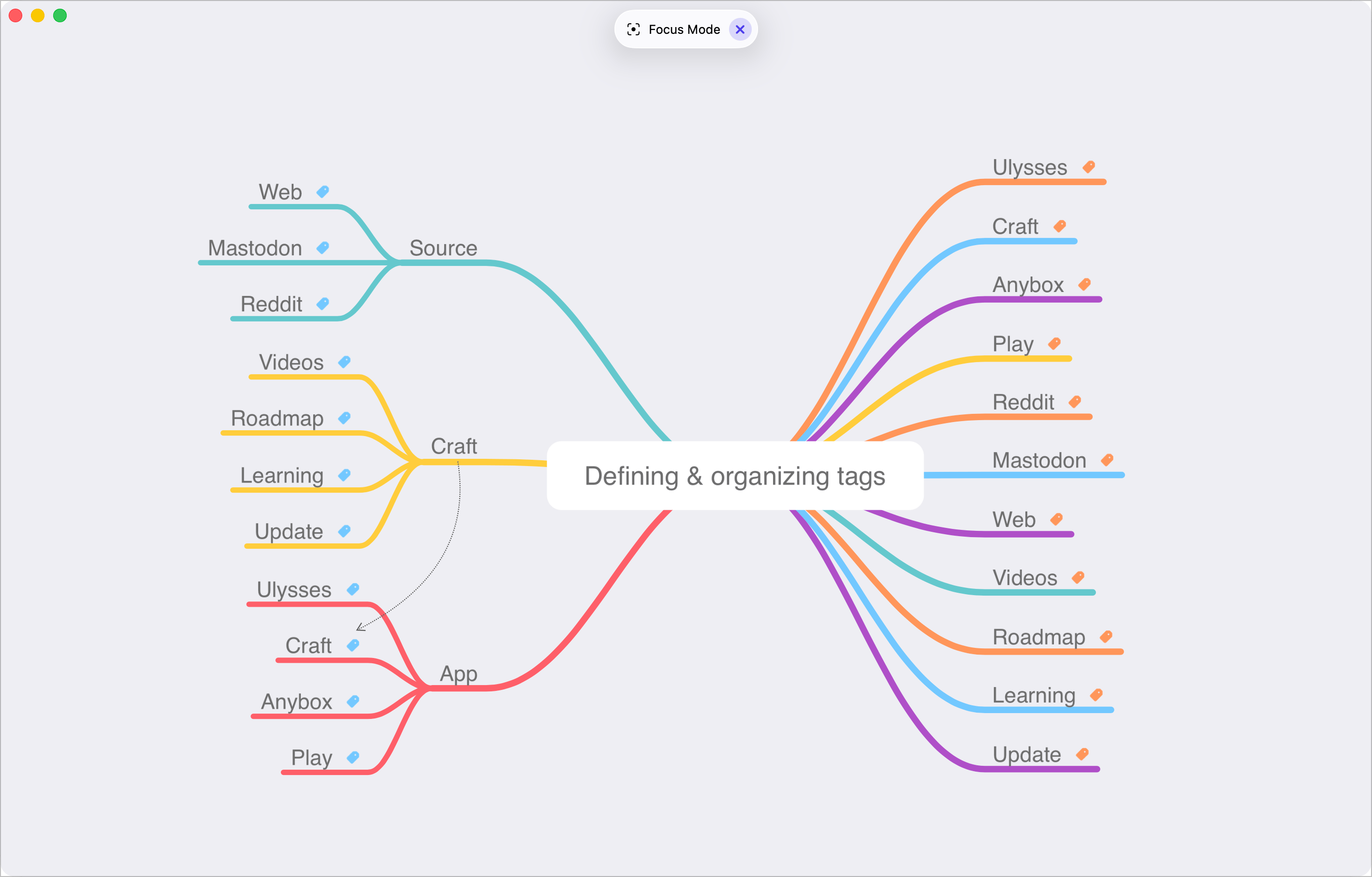
I created this diagram in MindNote Next today for a video about Craft and tags usage. There is a “Focus Mode” where the UI disappears, allowing us to focus on the content, as shown in this screenshot. There is one big problem with this: the “Focus Mode” status button at the top. It is highly distracting to me; I can’t focus. 😳
How many ways can you write that the iPhone 17 is an improvement compared to last year’s iPhone 16? 🤨
I have a deep feeling that AI and Apple Intelligence are consuming a significant amount of development resources at Apple, which could explain why this year’s releases are so buggy.
In the article “Why Everybody Is Losing Money On AI,” Edward Zitron discusses the unsustainable financial model of generative AI companies, highlighting that they are consistently unprofitable due to high operational costs and escalating expenses associated with model inference.
In other words, AI is a money pit.
The Future of Technical Training According to Microsoft
Today, I’m completing a four-day course from Microsoft (AS-104 if you are curious). It’s all virtual, of course, through Microsoft Teams, and instructor-led. We’re a group of 50 people from all around the world, primarily from the US, from what I can see. The one fascinating thing is how pushy the instructors are for us to use… Copilot. They use it all the time to answer questions and paste the answers in the group chat. They offer ways to utilize Copilot to prepare for the certification exam. Etc. Copilot is really their assistant, the undergraduate who’s doing the dirty job, the gopher, if you will. The course is so strictly structured and formatted that I’m seeing a future where there won’t be any instructors. Only Copilot. 😳
It’s been two weeks (if not three) since Apple released iOS/iPadOS/macOS 26 are out… and still no iWork update. 👀 It must be hard to implement Liquid Glass… even for Apple.
I’m concluding that without an external screen, multitasking on the iPad is best experienced with Stage Manager. It’s a more controlled experience (hence requiring less management). With an external monitor, then going all in with windowing is the way to go. That’s my conclusion anyway.
With flexibility comes mandatory management. That’s the case with iPadOS multitasking. Ideally, management should be kept at the minimum. That’s not the case with the current state of iPadOS windowing system. It. Is. So. Cumbersome. It. Is. A. Regression.
I think that, from what I observed and experienced since Apple OS 26 releases, some apps inherently lend themselves better at Apple’s Liquid Glass adoption because of dev abilities but also because of the very nature of the app. Craft and Reeder are good examples. There are a few others.