Hello, Again, Mac?

Surprised by this late-October Apple event (“Scary Fast”). Could this be about Mac gaming? Is this for the Apple Silicon M3? The timing is weird, in my opinion. What about the iMac with M2 and a new iMac Pro with M3? The latter wouldn’t make too much sense as Pros prefer more flexibility than an all-in-one Mac. But using the Mac happy face really points to a Mac-only event. And boy, do I like this animation that I’m including here for my own pleasure1.


  1. I always found that Apple is not using the Mac happy face enough in their marketing. They could have tied this face to Siri too. ↩︎
Glass Opens Up a Little Bit More

Glass feels right at home in Capture One. Long adored as one of the best platforms for editing and managing a photography workflow, we’re thrilled to include publishing to Glass in Capture One. The final step in the creative process is sharing the work you’ve made — making that as easy and frictionless as possible is what we’re both all about. Source: Capture One x Glass — Glass

I like where Glass is going. The choice of Capture One as the first to take advantage of Glass’s APIs is telling and sending a message. How long before Publish to Glass support is added to Adobe Lightroom? Months? Years? Ever? How long before we get Fediverse support?

Some Must-Needed Changes to My (Too Many) About Pages

Today, I’m removing my digital garden content. The most valuable parts were moved to my About Page, and the rest has been dropped. Both of these pages are created and maintained in Craft. I like the idea of Digital Gardens, but it’s not practical for me to maintain on top of this blog and my other websites. Again, it’s time to focus.

Next up, should I get rid of my Linktr.ee page?1,2 🤔 And, why does my Micro.blog about page is empty? 🤨


  1. I know what you think. I have probably way too many websites. And I would respond: yeah, you are right. ↩︎

  2. Linktr.ee offers great design tools and useful analytics. I’m not ready to drop those. ↩︎

404 - Page Not Found

I have an issue with Short.io. I want to contact their support to find a solution to something that partially works, but no contact information is available in the /Support section. The /Blog section shows a small “Contact Us” button leading to a page not found error. There is no mail address either. They ask for $ 250 / year for a “Personal” subscription plan. How can I trust them if I cannot contact them for support?1🤔

The problem: not all links are leading to the destination page under the go.numericcitizen.me domain name. Why? This used to work for all links, but it’s no longer true. Why? Exhibit one: this link works. This one won’t.

Instead of 404 - Page Not Found, this should be 404 - Support Not Available 😔

Update: I got my answer after chatting with tech support through their chatbox on their website, which wasn’t initially showing because of content blocking in Safari. 🤦🏻‍♂️ All is fine now.


  1. Their Twitter account is a ghost town; the last tweet was posted in 2021. ↩︎

A Definitive Solution to a Simple Problem

I finally found the right setup to definitively fix my audio record quality. The problem triggering this endless trial-and-error journey is that the Blue Yeti microphone can be too sensitive and pick up too much background noise1. On paper, the macOS Voice Isolation recording should fix this. However, ScreenFlow 10.0.9 has issues with audio recording from a USB microphone while Voice Isolation is active2.

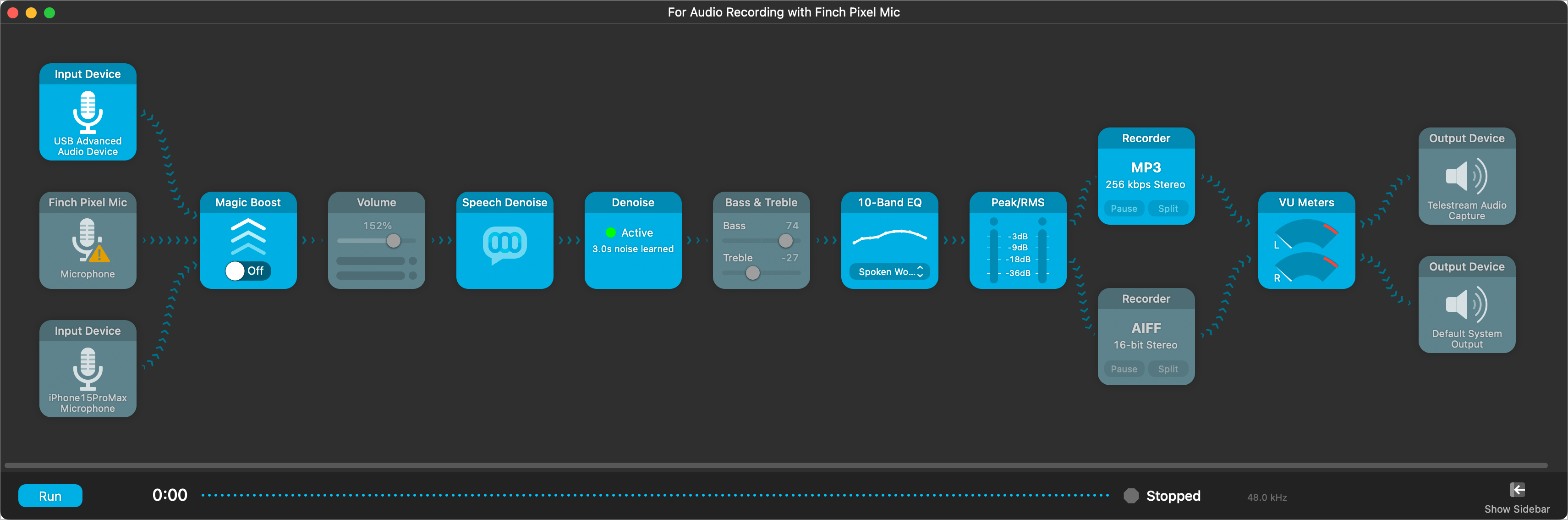
The solution? Use Audio Highjack3 to record from the USB microphone with Voice Isolation active and output to the ScreenFlow audio capture driver. When recording, I start the Audio Hijack session, then switch to ScreenFlow and hit record. Voilà. I do use Adobe Podcast Audio Enhancer too. The results are quite good! You can hear it in my latest podcast episode. A screenshot of my Audio Hijack workflow is included so you can look at it4.


  1. People in the house don’t always pay attention when I’m recording my stuff. We could hear them quite easily. ↩︎

  2. The sound is highly distorted. It’s a known issue, apparently. ↩︎

  3. Audio Hijack is a superb piece of software if you ask me. ↩︎

  4. More tiles are included so I can make sure there are no lingering background noises after Voice Isolation makes its magic. ↩︎

My (Really) Short Experience With a RODE NT-USB Microphone

Objective: find a replacement for my lightning-based Finch Lavalier microphone1. Did my research for a USB-C microphone. RODE microphones came up quite often. They received good reviews. I ordered the NT-USB model. It was hard to see which type of USB port it came with—I got the microphone2. It comes with USB-A. Shit. It was tested on my Mac mini. Background noises are too easily picked up. Screenflow cannot use voice isolation3. It was tested on my iPhone 15 Pro Max with a USB-A to USB-C adaptor and Ferrite. Voice isolation isn’t possible, either. Not good. I tried to use the RODE companion app for Mac so I could adjust the microphone operating parameters. I downloaded and installed it but didn’t recognize the microphone when plugged in. Not good. It’s an expansive microphone, barely better than my Blue Yeti. Not good. After testing Screenflow, my iPhone connected via USB-C to my Mac, and with voice isolation activated once again4, I decided to return the product. It’s way better, close to what I had with my Finch microphone. Problem solved.


  1. No longer works with my iPhone 15 Pro Max USB-C port. ↩︎

  2. I couldn’t confirm it from the spec sheet on Amazon nor could I on the RODE website. ↩︎

  3. I opened a support case with Telestream. It’s a known issue, still being investigated. ↩︎

  4. This configuration works, but not with a USB-C microphone only. It seems the iPhone with voice isolation one is the only configuration that works with Screenflow. Really strange. ↩︎

Announcing "My Reading Workflow Explained"

I’m finally publishing the details surrounding my reading workflow. It’s been long in the making. More than a year. The reason? Because this workflow was full of moving parts. One example: is the read-later service. First, it was Pocket, then came Matter, Readwise, to finally settle on Omnivore. All the details are here on the Numeric Citizen I/O metablog. Feel free to comment or ask questions! 😊

Peak Design Case Issue With iPhone 15 Pro Action Button

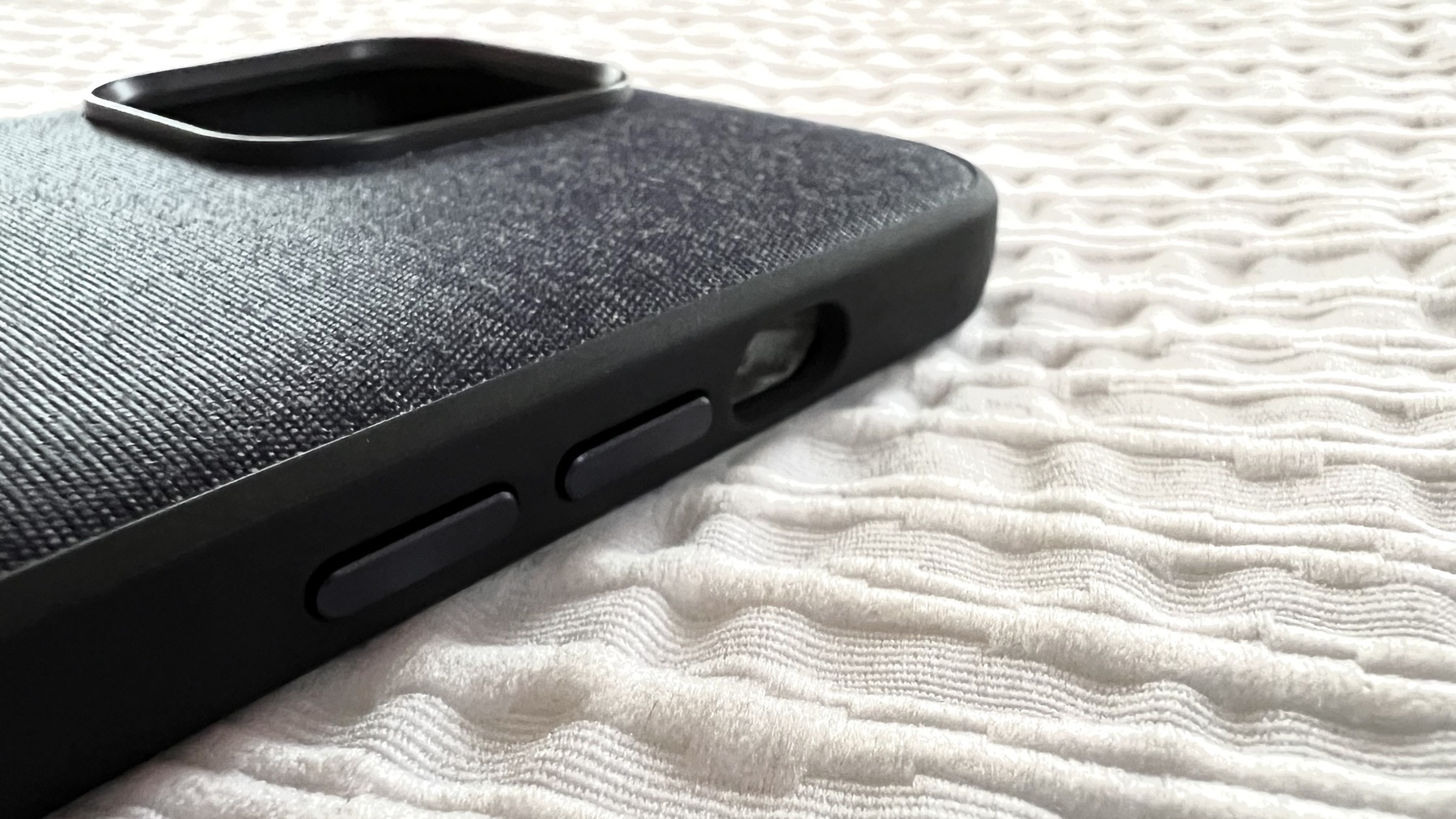
For those looking to buy a Peak Design case for the iPhone 15 Pro Max, just like I did. I love the case but… here’s the kicker; the action button is really hard to press with this case, the cutout should have a button instead which would press the action button, just like for the other buttons integrated into the case. They plan to fix this. Check out this video to learn more.

Update: The way the company is handling this issue is a prime example of how customer satisfaction should be handled. Bravo.

What a Strange iCloud Drive Bug!

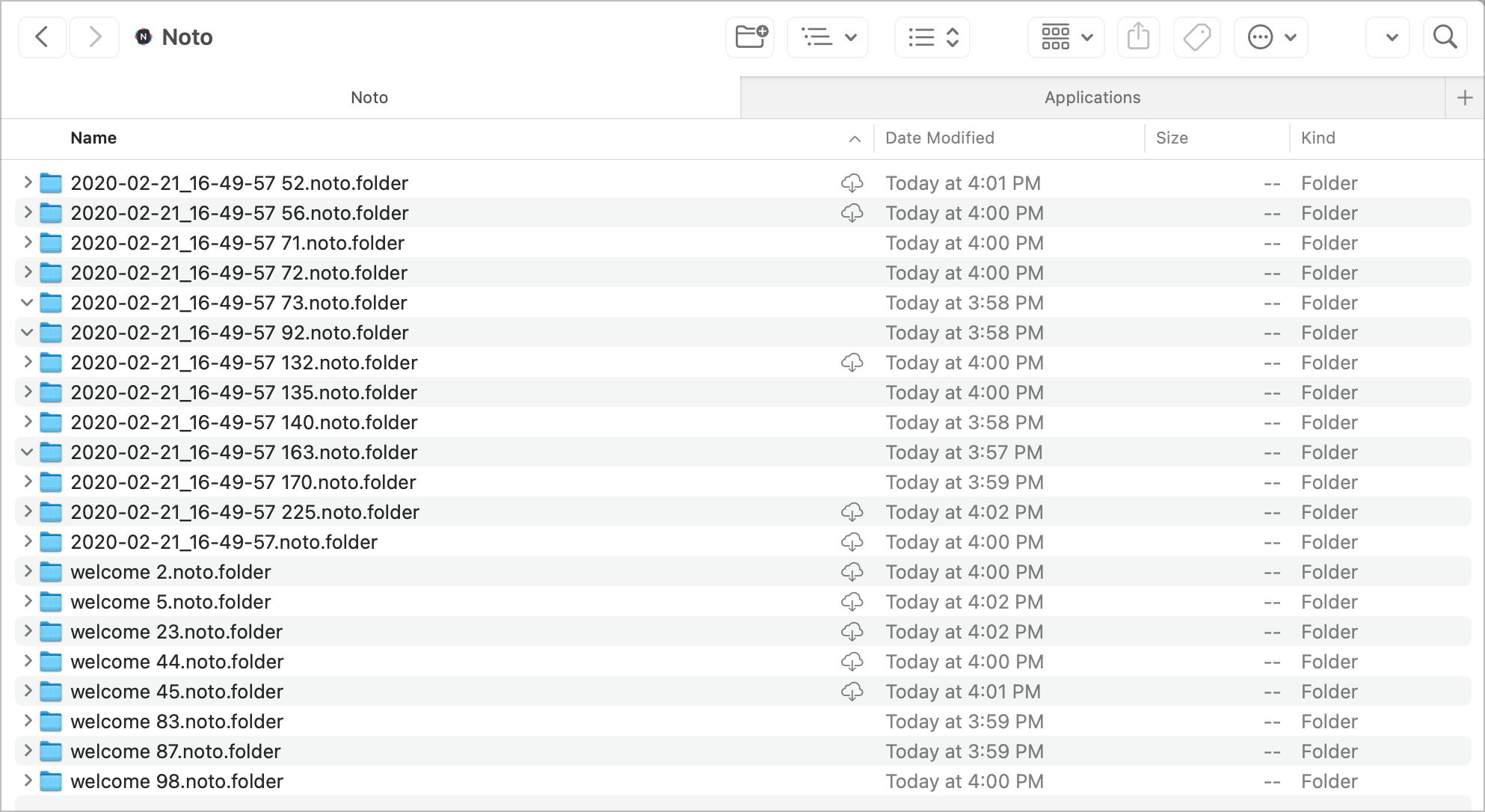
I have a folder named “Noto” in my iCloud Drive folder that keeps populating empty folders inside of it, on all my devices. Noto is a note-taking app that I tried in Feb. 2020. Today, I found out that I had more than 30K empty folders sitting there. I deleted the folders from my Mac mini, and it came back. Same with the MacBook Air. It came back. I visited all my devices to see if Noto was still installed. Nope. I reinstalled it on the iPad to see if it would populate something. Nope. I went on Files.app on the iPad to delete the root folder. Still re-appearing. On all my devices, I reinstalled Noto, to disable iCloud sync. I visited the iCloud storage section within Settings on the iPhone. The Noto folder isn’t there. But, on the iPad, it was there. I deleted the item from iCloud storage management. Yet, the folder keeps coming back. What a strange bug. Help.

Update: the issue went away after rebooting my M2 MacBook Air to fix an issue with Screenflow screen recording permission request. I went back to the iCloud Drive folder and sure enough, the Noto folder didn’t come back. I guess the issue is resolved.