Peak Design Case Issue With iPhone 15 Pro Action Button

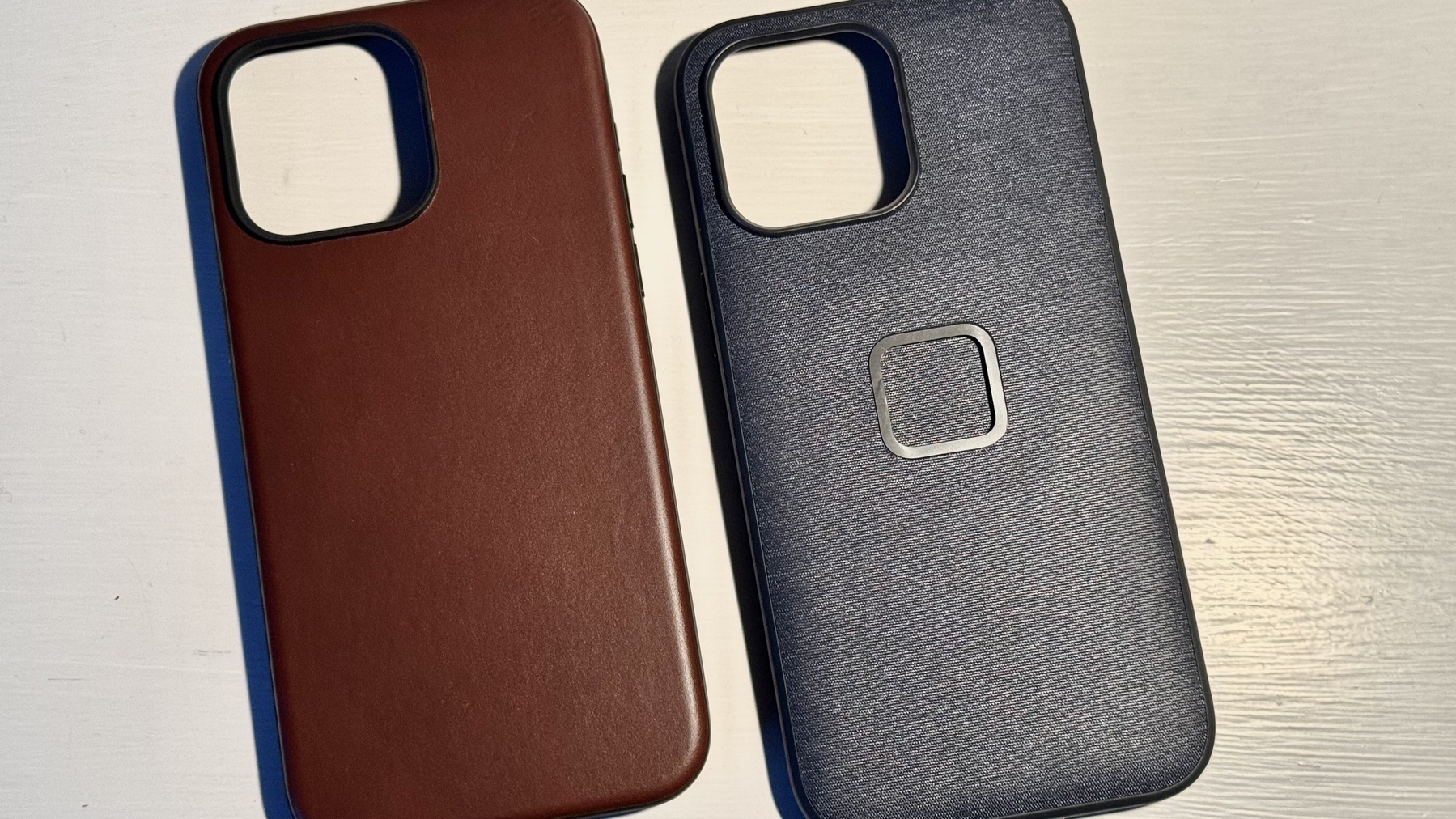
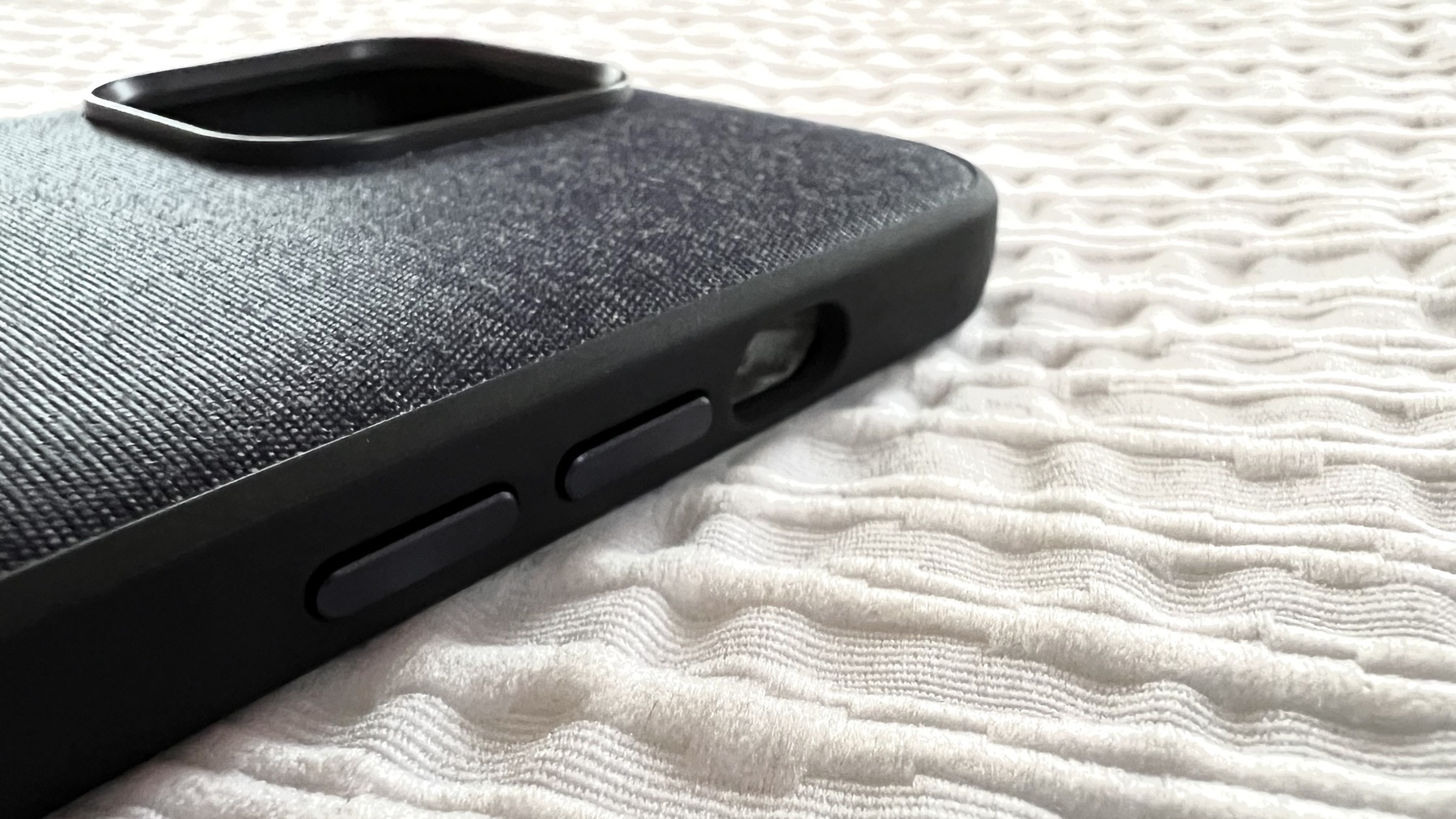
For those looking to buy a Peak Design case for the iPhone 15 Pro Max, just like I did. I love the case but… here’s the kicker; the action button is really hard to press with this case, the cutout should have a button instead which would press the action button, just like for the other buttons integrated into the case. They plan to fix this. Check out this video to learn more.

Update: The way the company is handling this issue is a prime example of how customer satisfaction should be handled. Bravo.

What a Strange iCloud Drive Bug!

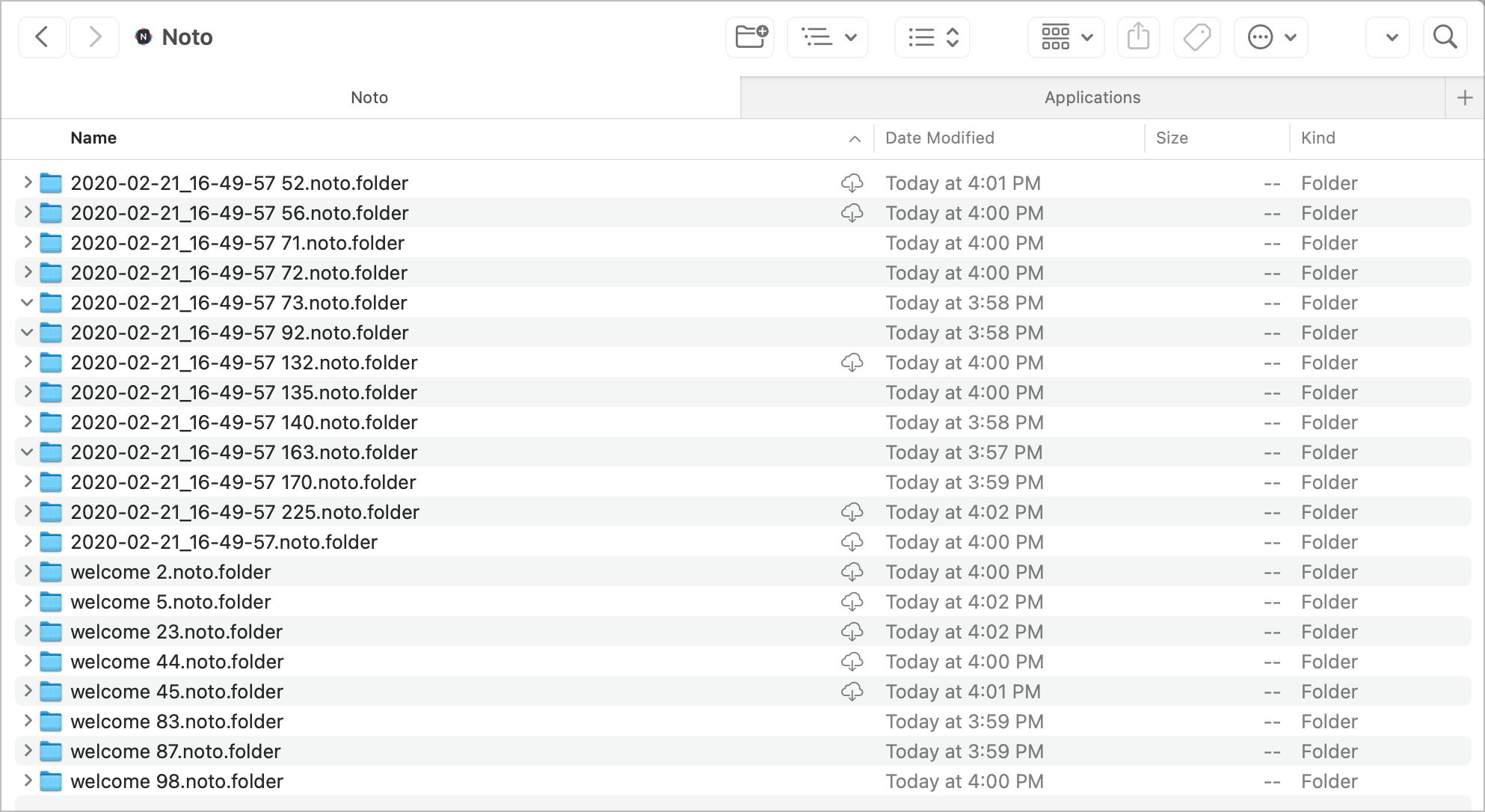
I have a folder named “Noto” in my iCloud Drive folder that keeps populating empty folders inside of it, on all my devices. Noto is a note-taking app that I tried in Feb. 2020. Today, I found out that I had more than 30K empty folders sitting there. I deleted the folders from my Mac mini, and it came back. Same with the MacBook Air. It came back. I visited all my devices to see if Noto was still installed. Nope. I reinstalled it on the iPad to see if it would populate something. Nope. I went on Files.app on the iPad to delete the root folder. Still re-appearing. On all my devices, I reinstalled Noto, to disable iCloud sync. I visited the iCloud storage section within Settings on the iPhone. The Noto folder isn’t there. But, on the iPad, it was there. I deleted the item from iCloud storage management. Yet, the folder keeps coming back. What a strange bug. Help.

Update: the issue went away after rebooting my M2 MacBook Air to fix an issue with Screenflow screen recording permission request. I went back to the iCloud Drive folder and sure enough, the Noto folder didn’t come back. I guess the issue is resolved.

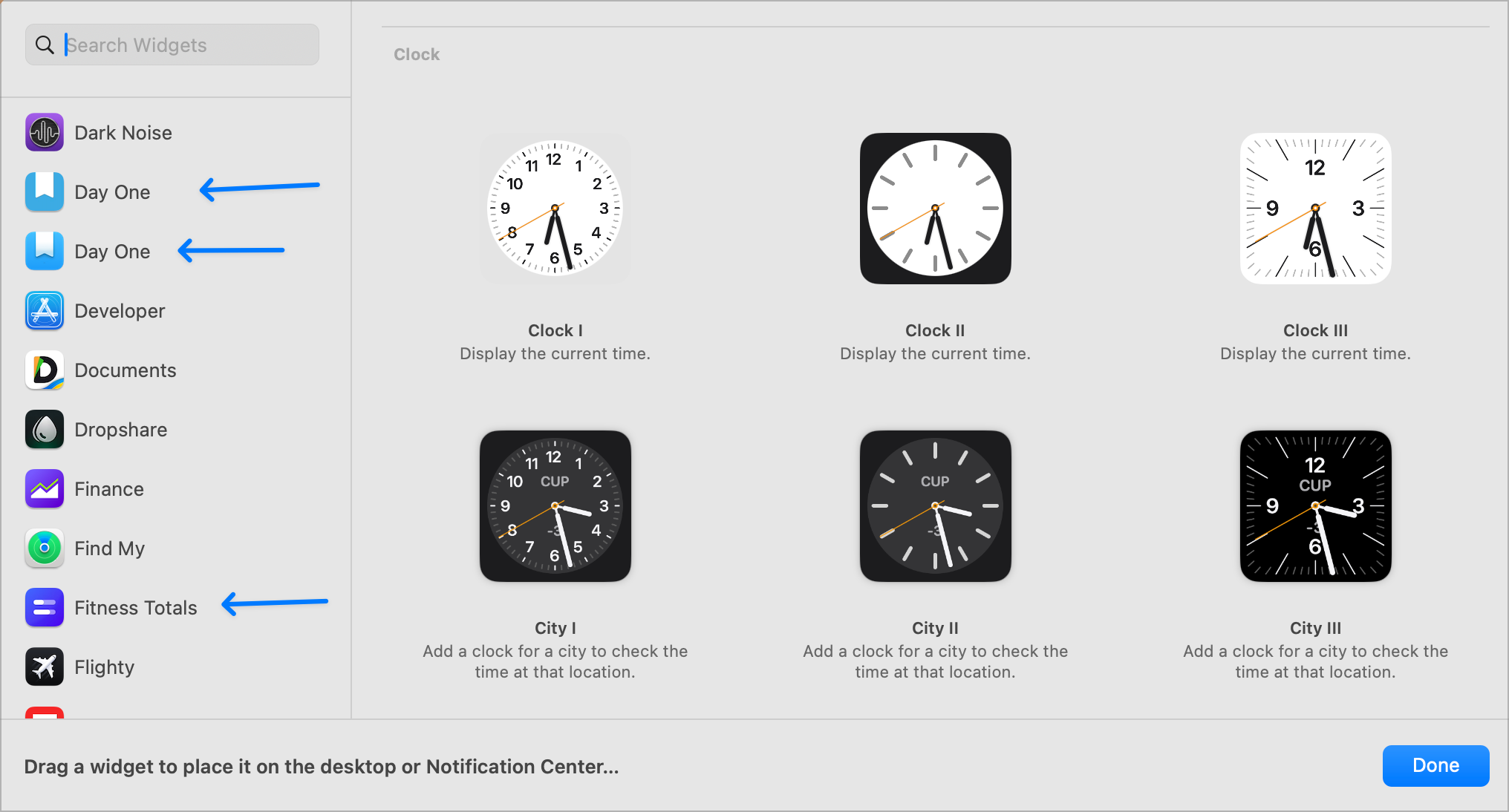
When adding widgets on macOS Sonoma, there should be a visual cue telling me which widgets are coming from the iPhone vs from installed apps on my Mac. This screenshot shows two Dayone instances, and Fitness Totals is on my iPhone.☝🏻

What happens when you run Micro.blog.app and the web app side by side? Here is a peek at Activity Monitor on the memory consumption tab. There’s the native app. Fine. But, for each web app, Sonoma seems to spin three other processes (Graphics, Networking, and some root process using the web app URL name). Fascinating. Native apps don’t consume as much memory.

One of the most confusing parts of iOS and iPadOS UI: configuring the share sheet options. The ⊕ sign and the toggle meaning are utterly confusing each time I visit this portion of the UI. The fact that some non-favourite items can be toggled on or off is probably part of the explanation for my confusion. I’m confused about my confusion. I must be getting old. 👴🏻

Shot on iPhone 15 Pro Max with the telephoto lens, at 25x digital zoom. The best I could do with a lot of post-processing tweaks (tweaked the saturation, highlight, contrast, sharpening, noise reduction, etc.) 😅

I finally found THE use case for the Action Button: running a shortcut1 to 1) take a screen capture and 2) run the Apple Frame shortcut. It’s super handy. The camera already has a button on the screen that is easier to grab when I want to take a picture.


  1. Haptly named “Action Button”. ↩︎