From ProRAW to JPEG — When JPEG is Simply Enough

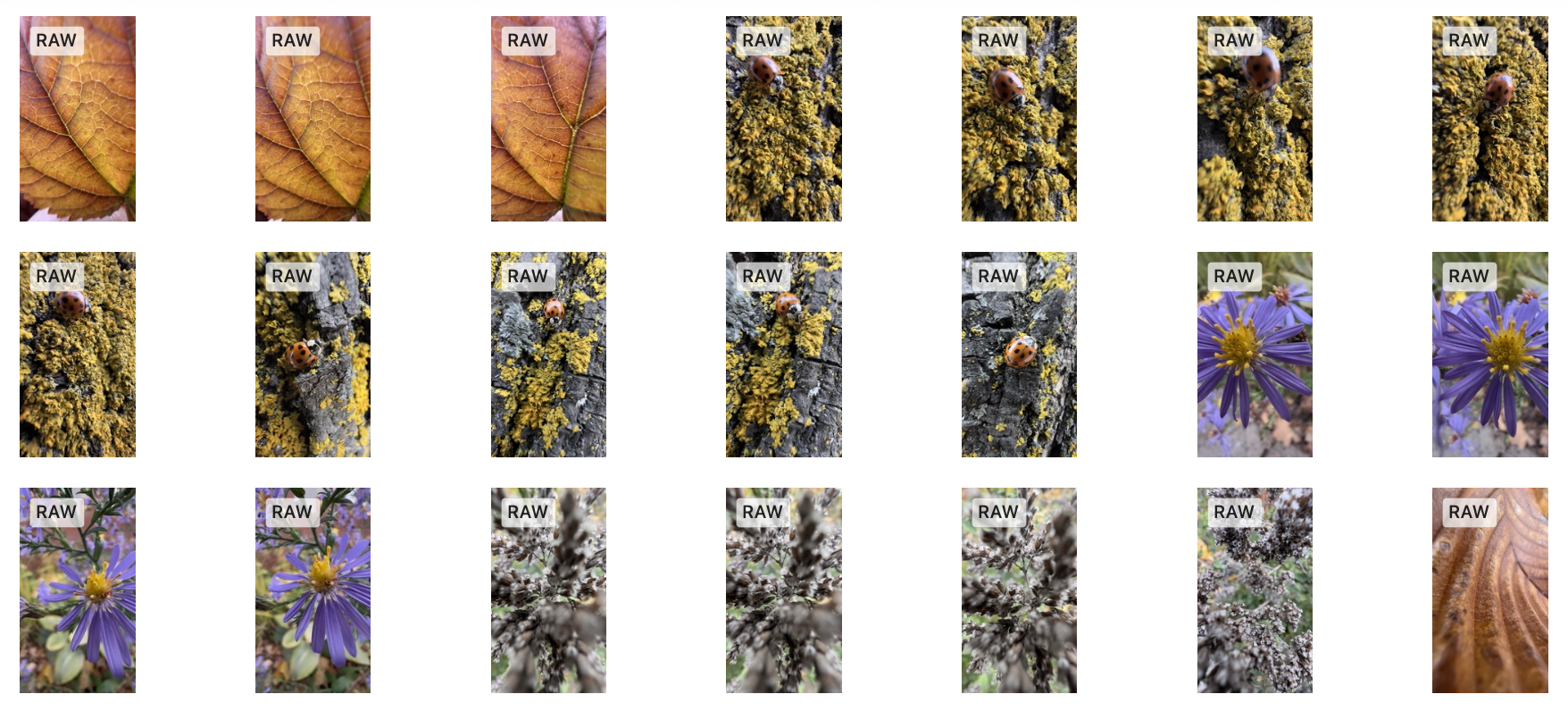
Here is a situation for which I’m searching for a solution. Let’s say I’m going out with my iPhone 13 Pro to take a few pictures outside. After a while, I notice that all the pictures that I was shooting were in ProRAW format. What if the lighting conditions were great that day and my photos didn’t require post-processing of any kind besides the iPhone’s own processing? How can I convert from ProRAW to their optimized JPEG counterparts and keep them in my iCloud Photo Library? Such process would decrease image size by a factor of ten.

I cannot find an answer for this seemingly easy question. So far, it all comes down to exporting the photos from Apple’s Photos application and then reimporting them. Such process needs to be followed by the deletion of all the original photos to prevent duplicates. There has to be a better way. Shortcuts, on iOS or macOS doesn’t provide any solutions as far as I can tell. Why is such thing not possible? If you happen to have a solution for this, please let me know.

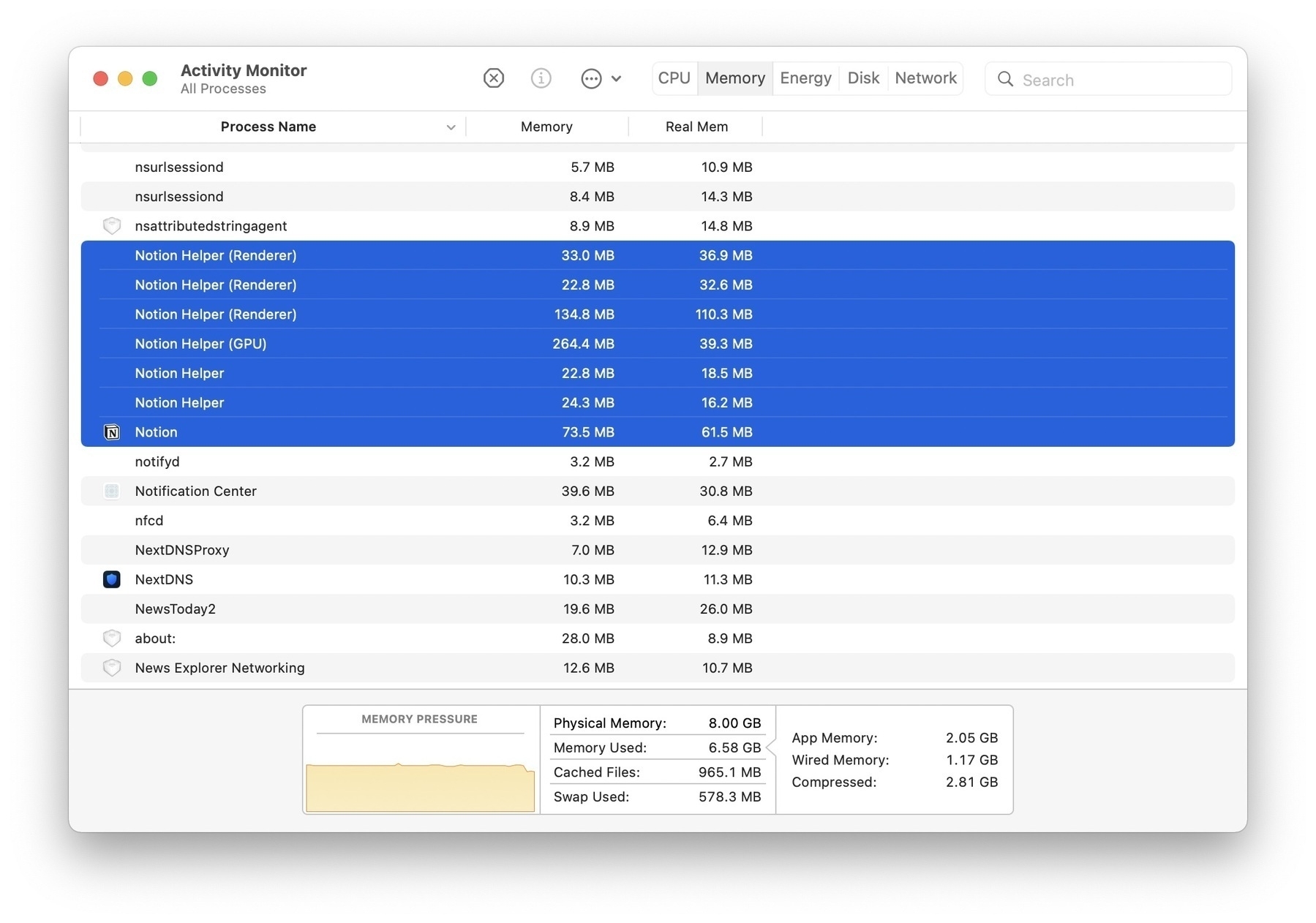
Comparing Notion and Craft running on an M1 MacBook Air. Notion takes 382 MB of RAM while Craft uses less than half of this. Both are native, but Notion is based on Electron. Well, Craft is based on Catalyst, it’s not pure AppKit. Yet…

Glass Profile Page — Finally?

After a successful initial launch, categories support addition, now here is profile page support. Glass is maturing, one step at a time. The web experience wasn’t part of the initial launch and I think it is fine. This is my profile page. Works great on iPhone, and on iPad which is cool. To join, you need to download the application. Works great on iPhone, not available on iPad. Oops. Next? Like support? I don’t think so. Hoping to meet you there!

Computational Photography Meet Traditional Cameras

But I wonder, where is photography headed from here? Surely, computational photography will play a big role in the short term. In my opinion, smartphones are not the future of photography, but they are hinting at where standalone, interchangeable lens cameras have to go in the next few years. I can’t wait to see what’s coming next. Source: Where is photography headed? — aows

What if Canon or Nikon were developing computational photography features in their cameras, just like Apple does for its iPhone? Imagine a “real” lens, a much bigger CCD captor, algorithms coupled with machine learning running on a powerful CPU. I wonder if this is the only way for Canon and Nikon to survive.

Understanding Halide Pro+ Capture Format

I’m still learning new things about shooting in ProRAW on my iPhone 13 Pro. The latest tidbits that I learned is not directly related to ProRAW usage, but to a setting in Halide related to photo capture modes.

When using what is called “Pro+” setting, Halide will take two photos for each shot. One is taken in HEIC format, the other is taken in ProRAW. Both photos are tied together and stored in Apple’s Photos library as one image. Here is the thing that I learned: when browsing previously taken photos from within Halide, metadata is shown in two different panels: HEIC and DNG (see above screenshots). Each component is taking a certain amount of space. The former being the smallest one. The latter, being the ProRAW version, is usually ten times bigger. But, when browsing the same photo in Photos, only the HEIC size is shown, as depicted in the following screenshot.

In summary, for pictures taken with Halide’s Pro+ format, don’t be deceived by Apple’s Photos showing only the HEIC size. The actual space consumed by this image is actually the sum of the HEIC part + ProRAW part (in DNG). That’s big, for only one image. Is it worth it? It depends, as I recently wrote about this.

I’ve been playing with my iPhone 13 Pro last weekend. On the following diagram, the picture on the left was shot with the telephoto lens, while the picture on the right was shot in macro mode, in the area shown on the left. Both pictures were processed in Adobe Lightroom CC.

Where Should Glass Go? A Debate About Likes

One of my picture on Glass

Matt Bircher on the lack of “Like” on Glass:

Maybe this is a terrible idea and I’m in the minority here, but I really do think that I would enjoy the app more if I was able to give lower-friction reactions to people’s photos. I still like Glass quite a bit, and I browse it everyday, but I do often feel like I don’t have the energy to comment on all the photos I like, and that’s a shame.

Lee Peterson’s take on his blog:

Not having follower counts and likes is a great way to stop the comparison to others and help to reduce the stress of feeling bad about myself for not making engaging content.

It’s not an easy thing to consider. Matt’s point of view also echos mine. If Glass added likes, does that put them on the path of Instagram, ads, and algorithm-based feed? I don’t think so. Glass is a paid service. That’s the key.

What if the decision of enabling likes was delegated to the photographer posting photos? I would enable it, Matt probably would too, but not Lee. The same goes for seeing and showing the followers count on the profile page. What if those decisions were put in the hands of the content creator? Let the platform have it builtin and the content creator decide what to do with it. Twitter’s Revue offers such a feature of showing the subscribers count on the Revue profile page. I like it, and it is enabled, even though I only have two subscribers.

On Micro.blog, the situation is pretty much the same. We don’t get likes to our posts, we don’t get to see how many followers we’ve got. I made requests to the guy behind Micro.blog for the ability to see the followers count on Micro.blog without much success. This data could be made private, and we could enable to show it on our profile page.

Why is the platform the only one making those decisions? Let the content creators decide. You can find me on Glass under the Numericcitizen moniker, here is one of my shared photo.