Wordpress.com: six years already (@wordpress #blogger #bloggerlife)

Six years anniversary on Wordpress.com WordPress ExactMetrics

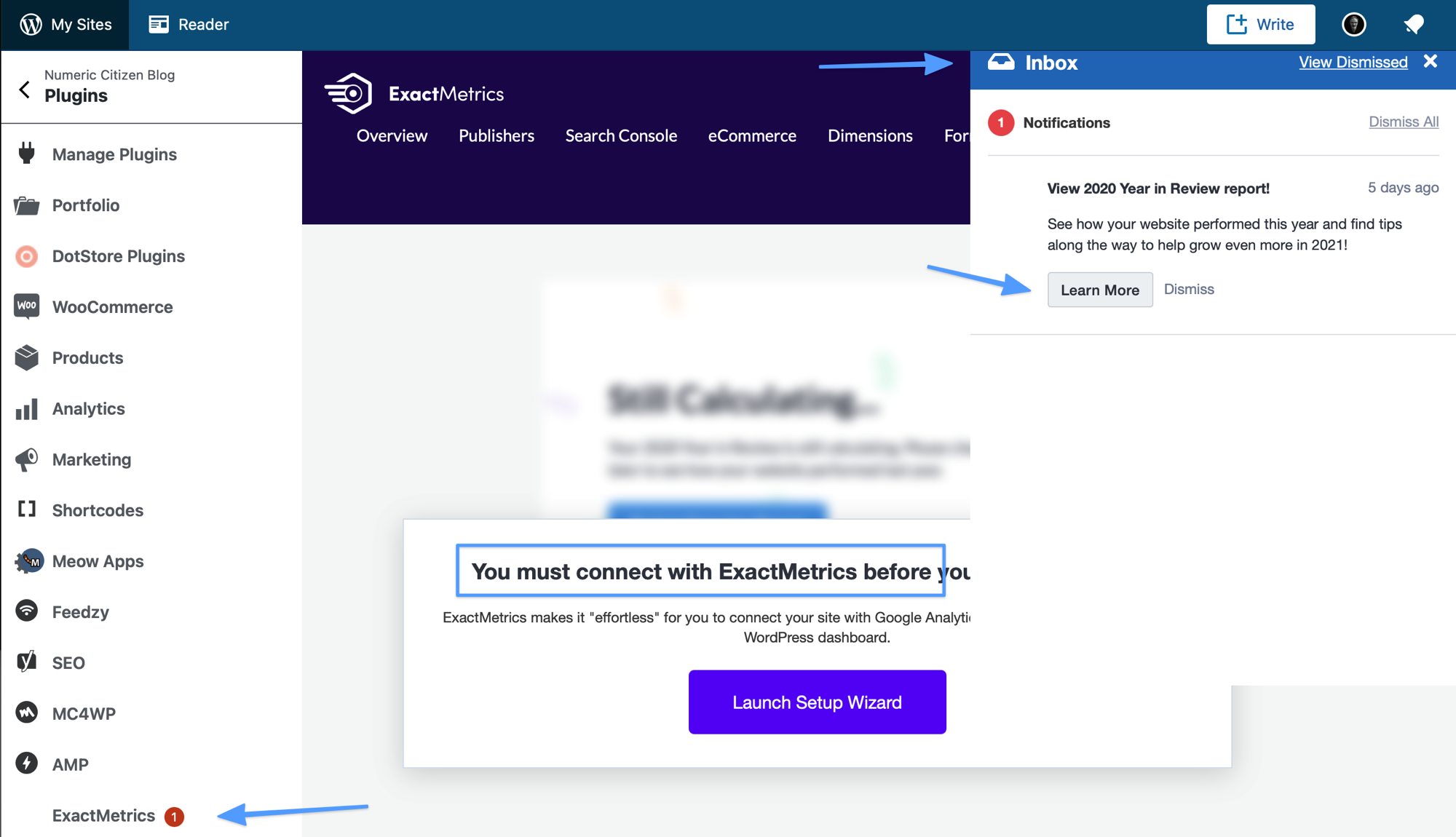
I got this notification in the Wordpress.app this morning. Six years already. Over the years, I became a paying subcriber of their Business plan. Automattic offers great support when you need it. But in the least year or so, I noticed a change in the way they do business with us, paying members. There are a lot of reminders about additional services available to us. which aren’t free, by the way. They keep advertising their ExactMetrics service that I don’t need with tricks that I don’t appreciate as shown in the second screen shot above. Recently, they started to advertise WordPress courses on the main admin page on WordPress.com. I really don’t like the trend. And this story by Alan Ralph doesn’t help either.

Don't forget about RSS feeds (#blogger #rss)

RSS Feed

Paolo Amoroso writes on his blog:

Back in the early days of blogging, the tech press bashed RSS out of existence as it was supposedly too complex for ordinary users. To the point new bloggers don't even know what RSS is, some recent blogging platforms don't support RSS, and the blogs of new startups sometimes don't provide RSS feeds.

It’s a shame in a world where open standards are on the way out. RSS feeds are another important part of Podcasts, another open standard where big tech would like to monetize, i.e. make it proprietary.

Amoroso continues:

The readers who subscribe to your RSS feed always see all of your posts. No matter what Google, Facebook, or Twitter decide.

A long time ago I decided my blogs feeds would push the complete content of the articles. As I don’t have ads on my blogs, I don’t really care if the readers consume the content from the RSS feed only. RSS feeds are conduits who escape any algorithm-based feeds. It’s the most direct connexion between a blogger and their readers.

For the best part, Amaroso nails it:

They are the readers you want. The superfans who share your work. They may be bloggers themselves and link to your posts from theirs, or enable other opportunities such as guest blogging or podcast interviews. Those few RSS subscribers are much more engaged and valuable than the many who don’t even click links on social media.

If you know how to use RSS, you’re my best friend, you are more then welcome.

You can find my main blog feed here. For my micro blog, the feed is here. Hope you enjoy.

A new kind of goal for me - writer engagement (#writing #blogger #bloggerlife)

Silvan arnet PFqfV5bn91A unsplash

Writing is an important part of my life. It’s all about feeling creative, thinking, taking a pause of everything else. As a blogger, I like when people stop by and take the time to read my blog articles and then response with a comment. It doesn’t happen as often as I would like. I would say, one percent of my visitors will do it.

For 2021, I decided to set a new goal for myself: stopping by, taking the time to drop a meaningful comment on a blog post or an article from someone else. I call this goal writer engagement. Some platforms are easier to interact with than others. I like both Medium and Substack for this. Responding to an article or a newsletter is just a few clicks away.

So, today, I dropped two comments. One comment to a post from MG Siegler about writing more often on medium. The other comment about a way to consider the iPhone 12 Pro Max as a tool for photography, from a too technical point of view.

So, will you drop a comment today? Feel free to engage too and maybe start a conversation, why not!

Why I didn’t write a personal year in review for 2020 (#blogger #bloggerlife #writing)

Journaling space for my future year in review for 2021

The year 2020 came to an end without me posting my personal year in review. You might wonder why. I read many reviews in the last few days. Most of them are delightful to read as they contain gems about personal lessons learned, personal discoveries, etc. To write those reviews, you have to be prepared for that particular intention to write about it later. Without notes, it’s nearly impossible and takes too much time to prepare. It also would be too easy to miss essential tidbits.

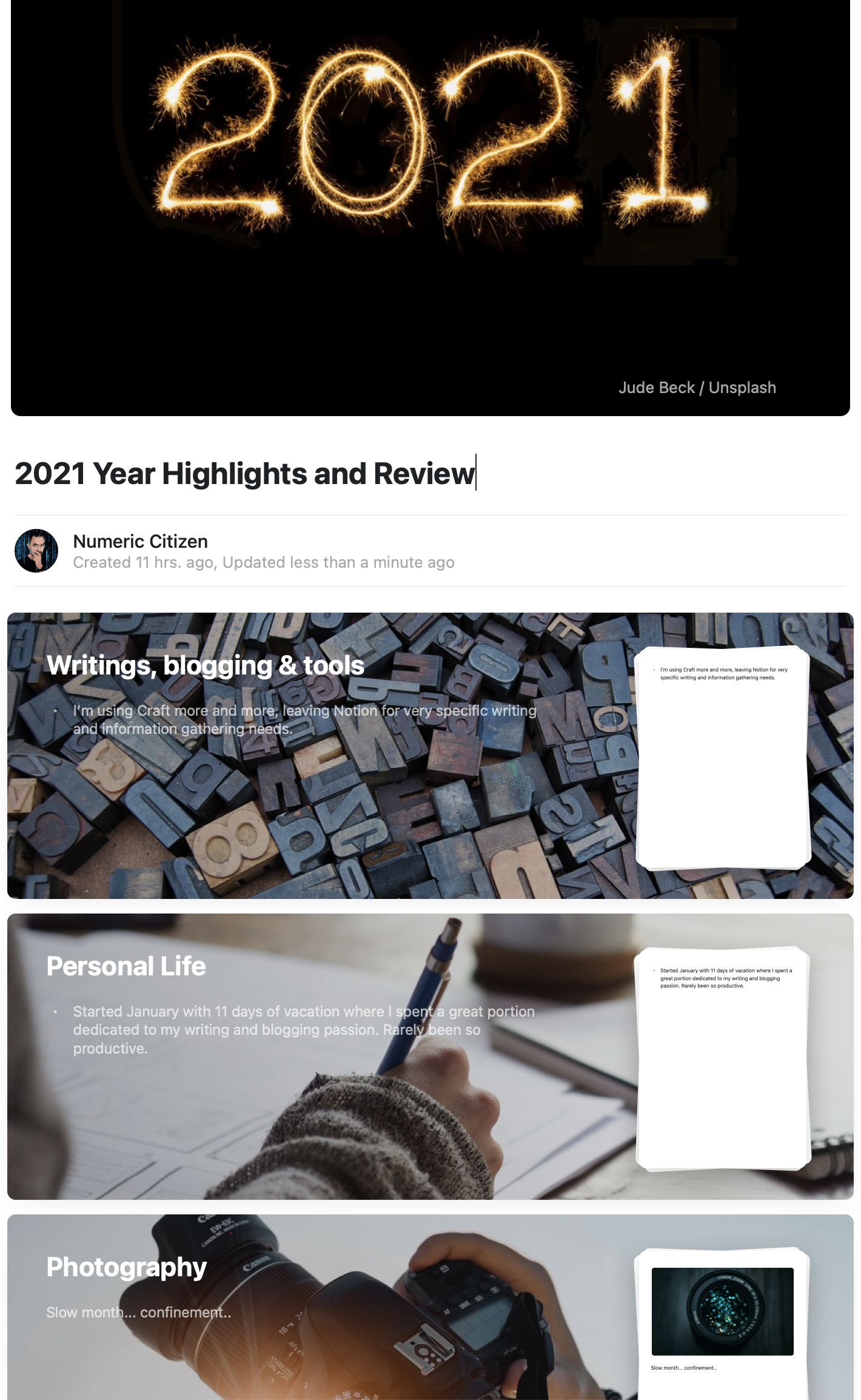
What about 2021? Good news, for 2021, I want to be ready. Now it’s the best time to get organized. All year long, I’ll be using the excellent notes taking application called Craft. I already started to put things down. The picture at the top of this post is a glimpse at my journaling space structure, where personal notes will be confined all year long. I’ll use a monthly section for each domain or theme I want to touch on in this future year in review. I’ll see where it goes.

Pinboard, Pocket, Raindrop, Instapaper, Notion? Which tools is best for you? (#blogger #bloggertools #writers)

Denise jans J4coHtrn24A unsplash

Alan Ralph on Why I Use Pinboard As My Reading List

I’ve mentioned before that I use Pinboard for bookmarking webpages of interest so that I can refer to them later. I realize this might seem like an odd choice, given that there are more obvious candidates such as Pocket or Instapaper, so I’ve decided to summarize my reasoning

I could add other apps and services like Raindrop (which I tried) or even Notion (which I love) as places to save bookmarks. It’s tempting to use more focused tools to fill a very specific part of a workflow. At the end of the day, it’s a matter of preference or workflow optimization (you can read about my recent workflow update).

The Substack "clique"? (#substack #writers #newsletters)

My current newsletter subscribers count

Is Substack the Media Future We Want?

“on Substack, the most successful newsletters are almost always written by people who have already cultivated an audience at traditional publications or built up a following elsewhere.”

and

Substack is a natural fit for the influencer, the pundit, the personality, and the political contrarian.

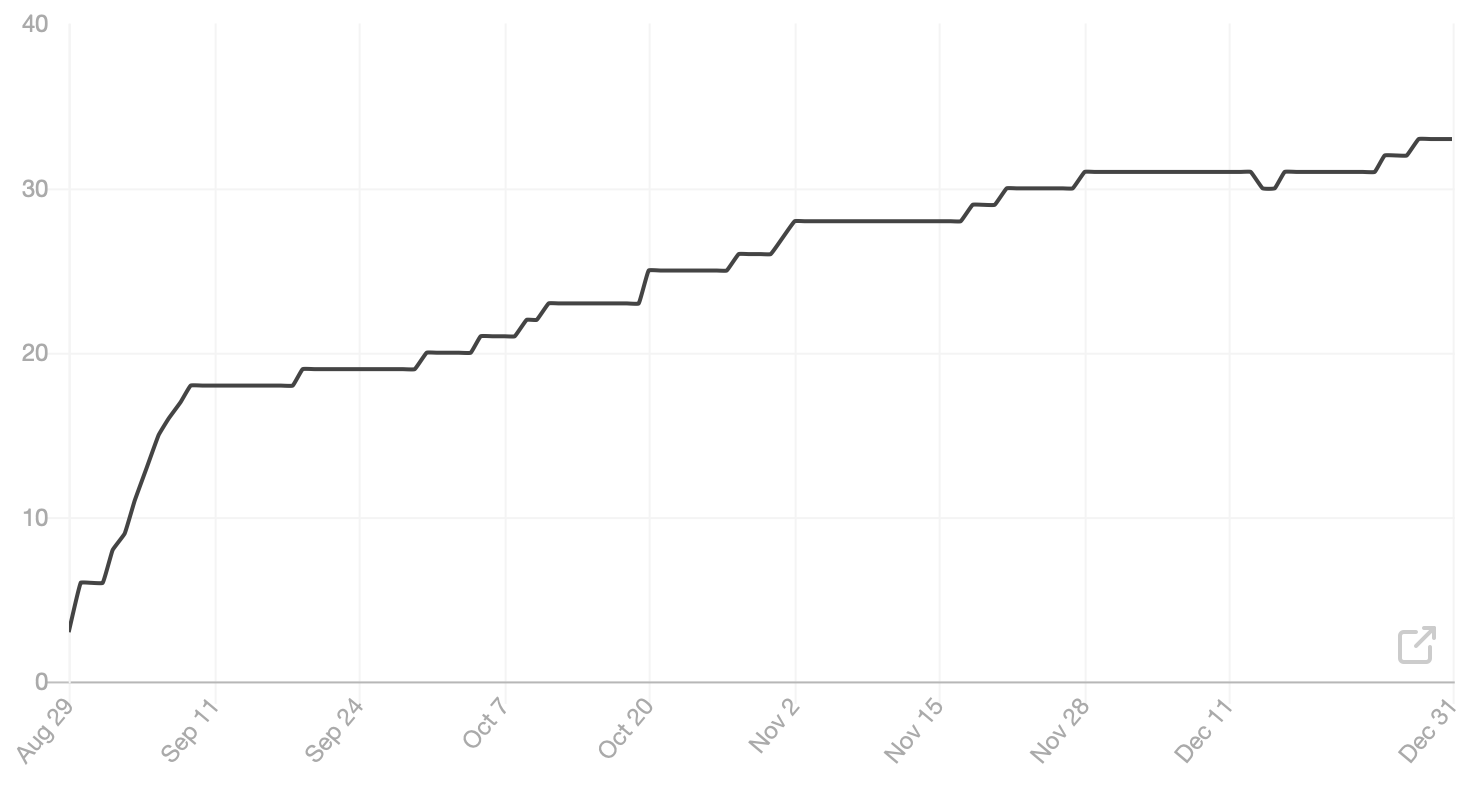
Starting from scratch on Substack is quite a challenge. From the graph shown above, this is the curve of my subscribers count. It plateaued. The new reader feature coupled with the discovery tab didn’t move the needle at all. We have to wonder if Substack is just a clique in disguise.

You can read my past newsletters by visiting my Substack page. Be sure to subscribe, it’s free!

Thinking of closing my Google Analytics account − who knew (#googleanalytics #privacy @mailbrew @plausiblehq)

Micro.blog stats on Google Analytics

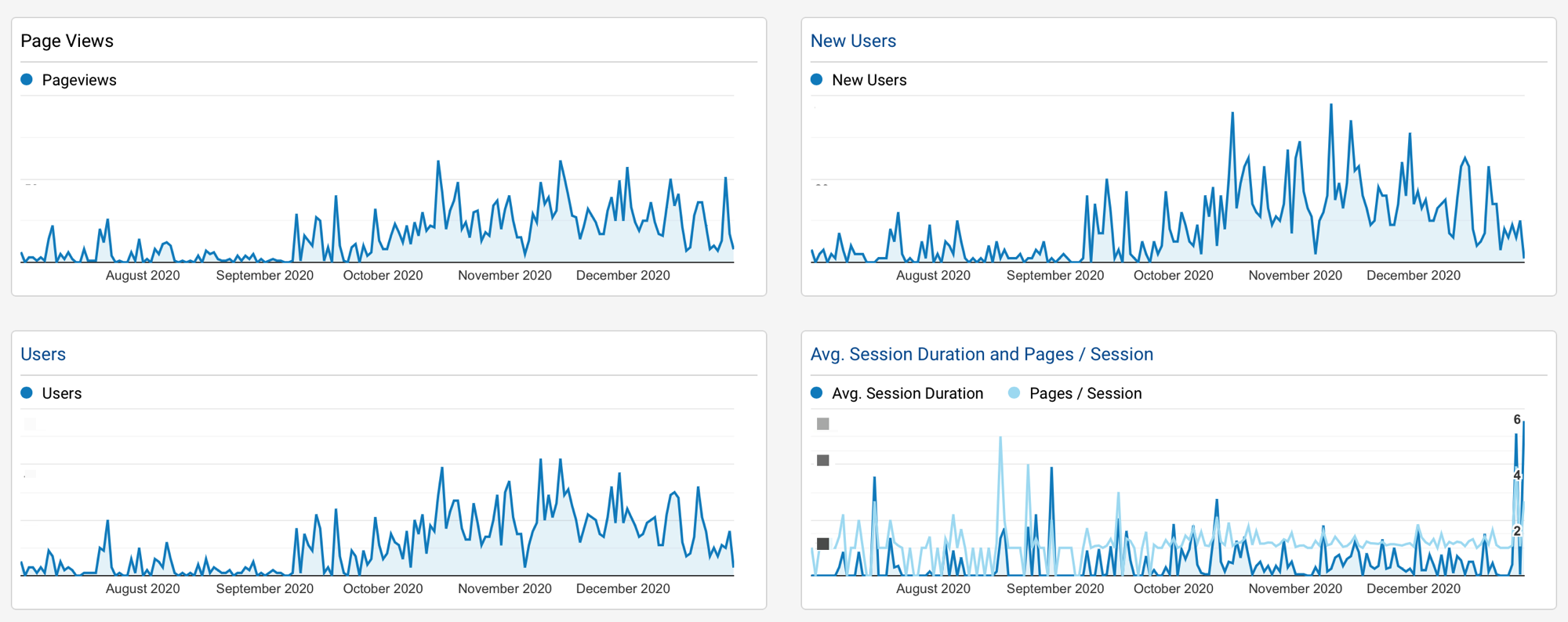
Mailbrew shared a blog post about the services they use internally for their needs. As a die hard fan of Mailbrew (see my profile here), it’s interesting to see what SaaS they use for their internal use. Especially interesting to me, Plausible, a privacy-friendly analytics. I’m currently using Google Analytics which is free but, you know, it’s Google and it’s too complex for my needs. On the eve of a new year, it would be a nice time to start fresh in that regards. I’m currently testing the service as I write this! I never thought closing my Google analytics account could be a thing. Every new year is the occasion to do things differently, don’t you think?

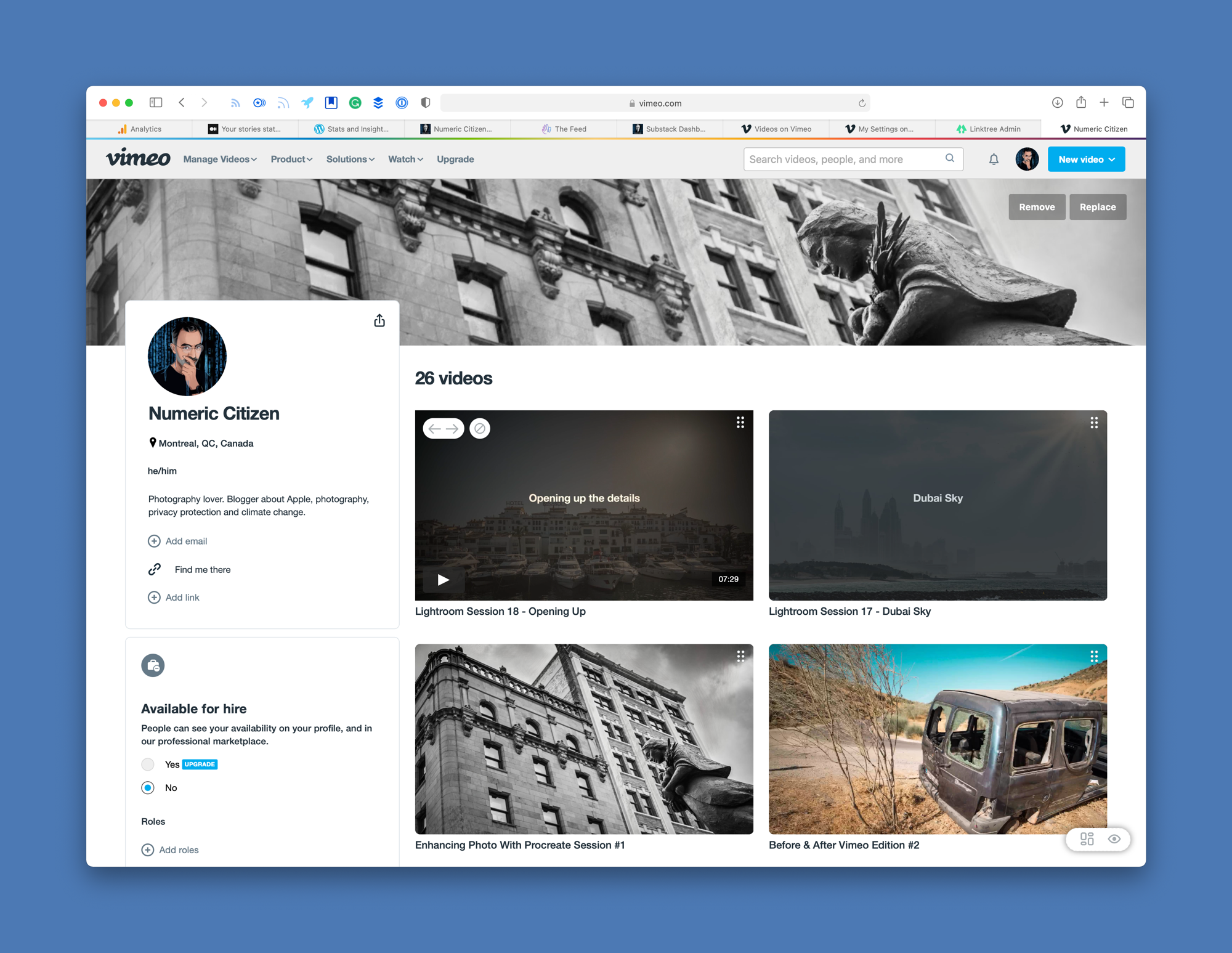
Tempted by Vimeo, again. (#vimeo #YouTube #experiment)

My Main Vimeo page

I have too many projects on my plate to complete and experiments that I want to try. Today, I’m thinking about subscribing to Vimeo, again. I used to have an active account where I would publish photo processing session recordings with voice over. These sessions are still available by the way (one example here). I stopped doing those because they were time consuming to create and publish.

Subscribing to Vimeo’s first paying tier is not cheap. I know what you’re thinking, why not use YouTube which is free!? First, I don’t like YouTube and the business model behind it. I don’t like to depend on Google for my stuff. Vimeo is better in my opinion as a video content platform, for what I want to do. I prefer their embedded video player compared to YouTube’s. I don’t want ads on my feed and on my content. For all these reasons, Vimeo > YouTube.

My Vimeo page: https://vimeo.com/numericcitizen

Now you know. 😎

What do you use as a shortcut menu utility on macOS? (#apple #macOS)

instant bar Mac App Store page

I’m currently writing a piece about the tools and services I use to help me be more efficient in my blogger workflow. Currently looking at Shortcut Bar - Instant Access on the Mac App Store. I had this utility in my list that I never bought but the features are exactly what I would like to get. Is there any alternatives to this utility? It’s a bit on the expansive side and is not yet updated for M1 Macs and Big Sur look and feel.

A few thoughts on Twitter's Space feature (#twitter #experience #audio)

Experiencing Twitter Space

Today, unexpectedly and for the first timr, I had a chance to experience Twitter’s Space. It’s a virtual room of twitter users who can speak to each other. When there is an open space, a small icon appear at the top of your timeline among twitter fleets. Tapping on it allows you to enter the space. By default your mic is disabled. You have to request permission first in order to be able to speak. There is a speaker who controls people’s requests to speak. People who are listener can react using emojis. It’s pretty interesting, much more interesting than audio tweets in fact.

I spent maybe ten minutes chatting with the space owner about things like COVID-19, confinement in Christmas time and how to use Twitter space. Others in the room were just listeners. It was pretty cool. I can see myself using this instead of doing a podcast for example. It’s easier to setup up, doesn’t require a distribution platform to maintain. I could setup a space to talk about Apple, photography, privacy or climate change. Can’t wait to try it out with my followers, once the feature officially rollout.