When Ukraine Is Home of Great Software Makers

I recently wrote my satisfaction about Readdle’s Documents.app on-boarding experience on the iPad. Now I’m reading about Spark’s cleverness take on emails. Without being as opinionated as Hey.com, Spark is a serious professional email client. Readdle’s home is Ukraine 🇺🇦 too. I’m considering integrating both software in my toolset. All good reasons to show some support to them.

Another Day, Another Rabbit Hole

Well, I almost forgot about it. Today I received my invite to start testing Post.news; another potential exit door from Twitter.

From what I’m seeing, there is already quite a few people in there and I like the posting experience so far. It’s way easier to setup than anything Mastodon-related. Yeah, I know, it’s not the “federated” & “open web” et al., but hey, it’s not Elon Musk’s Twitter!

The Most Divisive Mac Pro Is a Thing of Beauty

This week, a new Mac joined the family. The 2013 Mac Pro. I always dreamed of owning one. It’s probably one of the most singular Macs Apple has ever designed. Yes, it has limited expansion. Yes, it is not the Pro Mac that the pros wanted back in 2013. Yes, you need to unplug everything from the machine to open it up. It’s borderline baffling. But this hardware piece, just like the monolith in the 2001 Space Odyssey movie, seems to come from an alien planet, far from earth. Once plugged in and turned on, you can hear it barely humming, just like in any space station depicted in science fiction movies. 

I’m starting to use this Mac Pro for a project that requires an Intel processor. You can read about it here if you are curious.

The 2013 Mac Pro

Glass Is Evolving Nicely

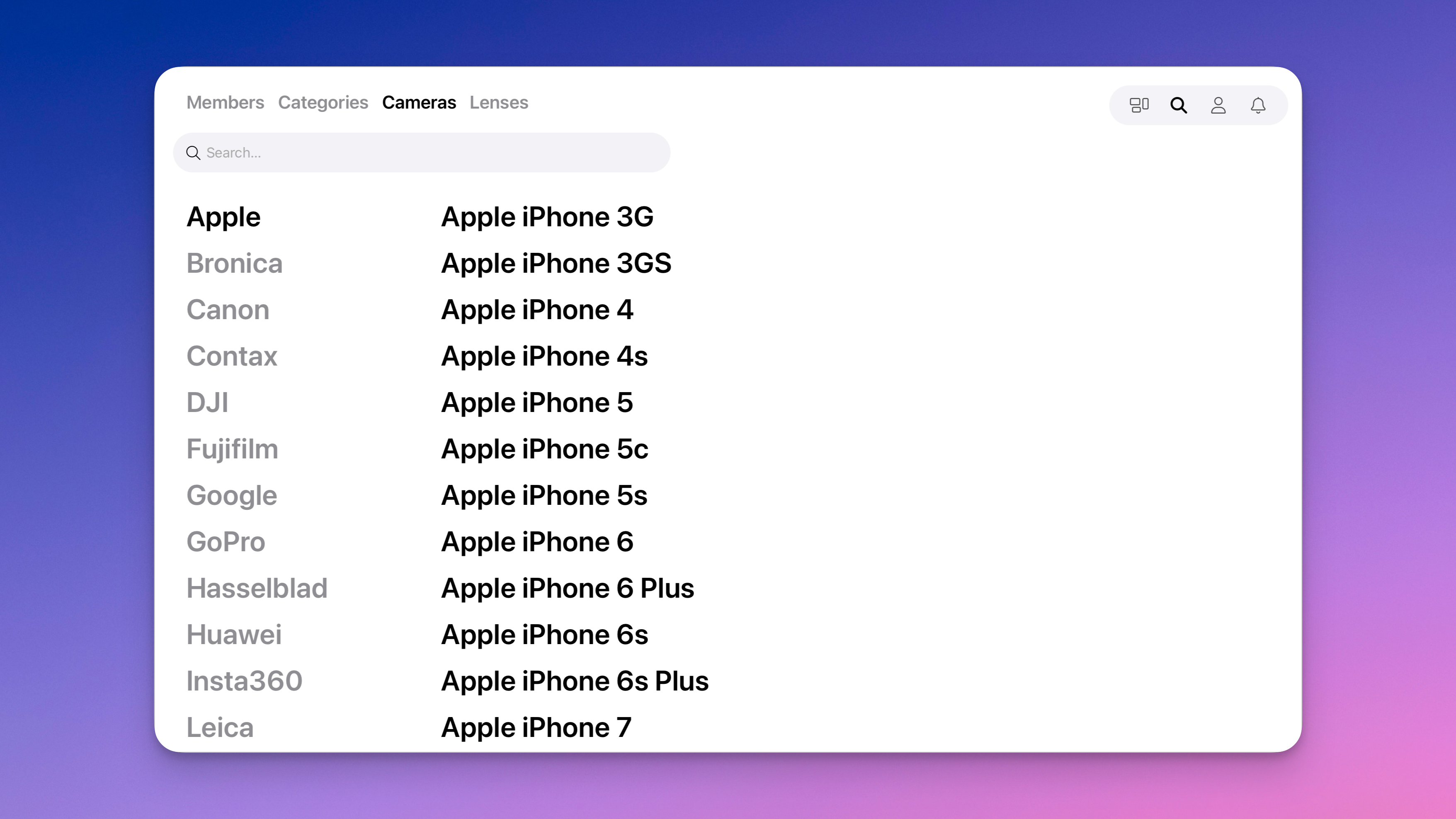
It’s good to see Glass introduce new methods for discovering photos on its platform. I would love to see percentages relative to each camera and smartphone brand. Searching by lenses tells us that Nikon is way behind Canon regarding diversity and representation. Can’t wait for Glass’s next move. Glass New Discovery Categories

The Password-Less Future Looks Bright and Secure

For the first in years, I just bought something from eBay. Man, this website design sucks and seems to date back to the early web. Is there anyone who cares about design at eBay? Anyway, they do care about security, though. Upon logging in with my password this morning, there was a popup asking me if I wanted to get rid of my password. I thought it was the eBay website that was about to turn on the Touch ID but instead asked me to confirm the passkey creation. It took me a confirmation with my finger on the Touch ID sensor on my M1 MacBook, and voilà, no more password required! That’s super cool.

Upgraded to MarsEdit 5.0...

Because native software is cool. Because indie developers are cool. Because it supports Micro.blog but not Twitter. Because it is cheap. Because it’s a small company. Because their new Micropost (markdown) editor is nice, perfect for posting on Micro.blog. It is frictionless. Micropost & micro.blog, any coincidence? Mmmm.

Anyways… it’s a great update that I’m currently testing. Returning to normal programming.

Written from the couch, on my M1 MacBook Air.

Twitter’s Essentials

I read about so many people flocking to Mastodon, leaving Twitter behind. I actually started to see a definitive decline in my followers number. Something is really going on. I myself started to think about the possibility of leaving the platform too. Just like I did with Facebook, Flickr, and Tumblr, only to leave a place where my content is simply cross-posted from another source without a real and active presence of mine. Twitter could be next. Really. I could live without the traffic influx from Twitter, which represents about 15% of all my visitors.

There is one thing that it would be hard for me to leave behind, though. If it wasn’t about the war in Ukraine, it would be an easy decision. The problem is that I follow a few people and news sources that diffuse their content on Twitter. Is there a Twitter equivalent for this type of small blips of nano content? I don’t see that in Mastodon yet. RSS feeds are not a platform but transport. The next Twitter has yet to emerge.

Clear Thoughts on a Confusing iPad Lineup

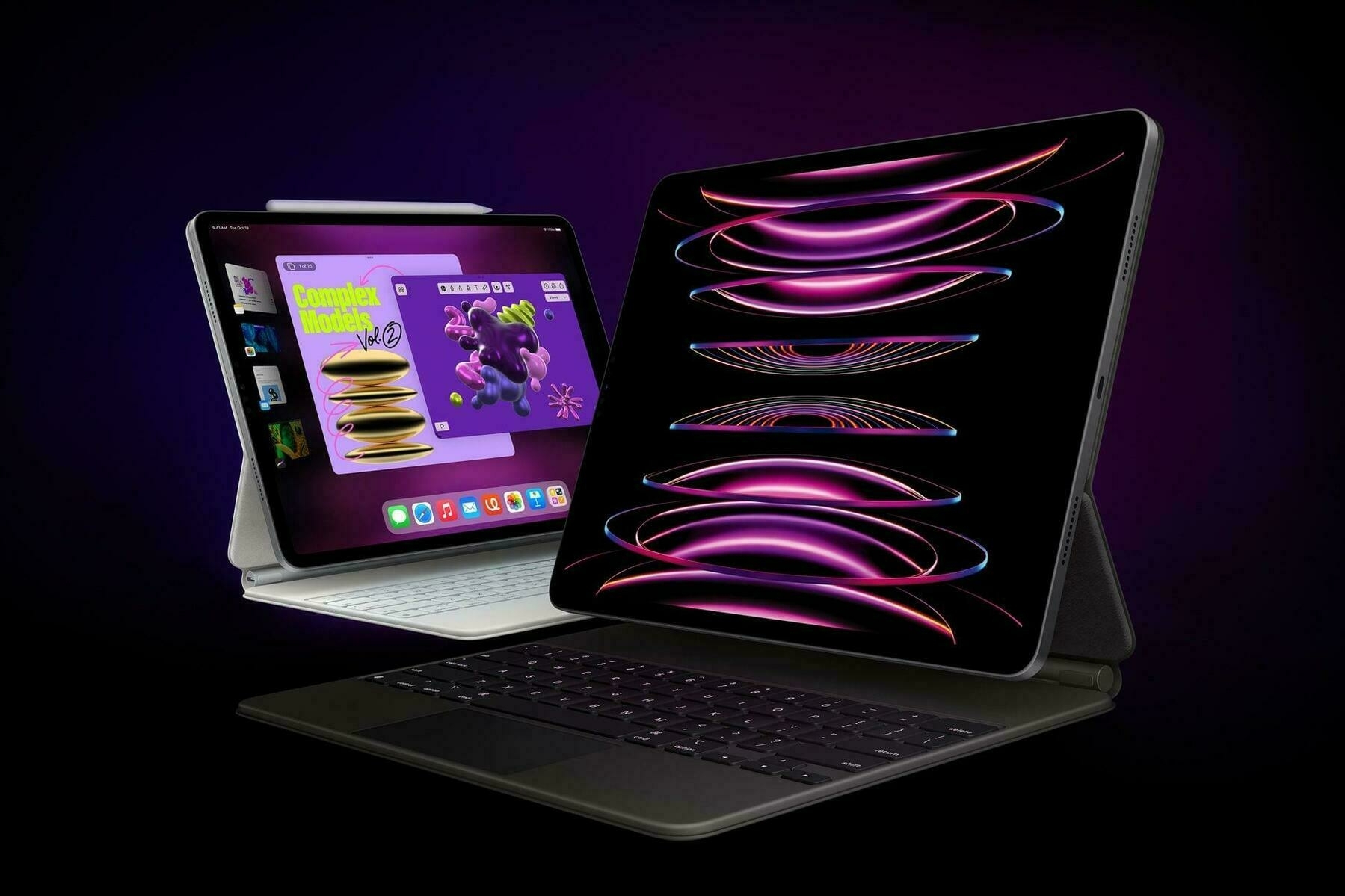
There we have it, a new iPad, a new iPad Pro, joining a growing and more confusing iPad lineup than ever. I won’t repeat the best comments from MacStories (“Apple Announces Strange New iPad and iPad Pro Lineup“) and Six Colors (“The iPad’s erratic odyssey continues”). How are this week’s announcements influencing my buying decisions?

I’m currently using a 2018 11-inches iPad Pro. Going to the 2022 M2 iPad Pro would be a significant step, at least from a processing power perspective. Should I stay on the 11-inches size or go to the 12.9-inches version and get a big screen upgrade? Using this new iPad as a photo-processing machine and as a second screen to any of my Mac would undoubtedly support the bigger iPad. But what a weird setup this would make to use a much-better secondary screen like the 12.9-inches iPad Pro on a 2020 M1-based MacBook Air machine. There is no comparison to be made.

In its video clip of fewer than five minutes, Apple is positioning the latest iPad Pro weirdly and surprisingly: the best machine to experience the “exciting” Stage Manager. What a strange way to present the iPad Pro. It will undoubtedly help but having to buy an expensive iPad to get a different and questionable way to multitask on a tablet is doubtful.

Oh, and what a missed opportunity to have Freeform ready simultaneously and present it as the best way to collaborate in a creative environment! We will have to wait until “later this year” to come to get a sense of Apple’s vision of collaborative work. Oh, and Final Cut is still MIA. Instead, Apple continues to rely on third-party apps to show how powerful the iPad Pro actually is. Thanks to DaVinci Resolve or Affinity, when they ship their new beast of software. Later. Eventually.

I don’t know why but my feeling is that the 2022 iPad Pro is only a transition machine, and the real deal will be next year’s update. Oh, and these keyboard choices are as strange as all the rest.

I’m unsettled. 🤔

Adobe, Lightroom and the Camera

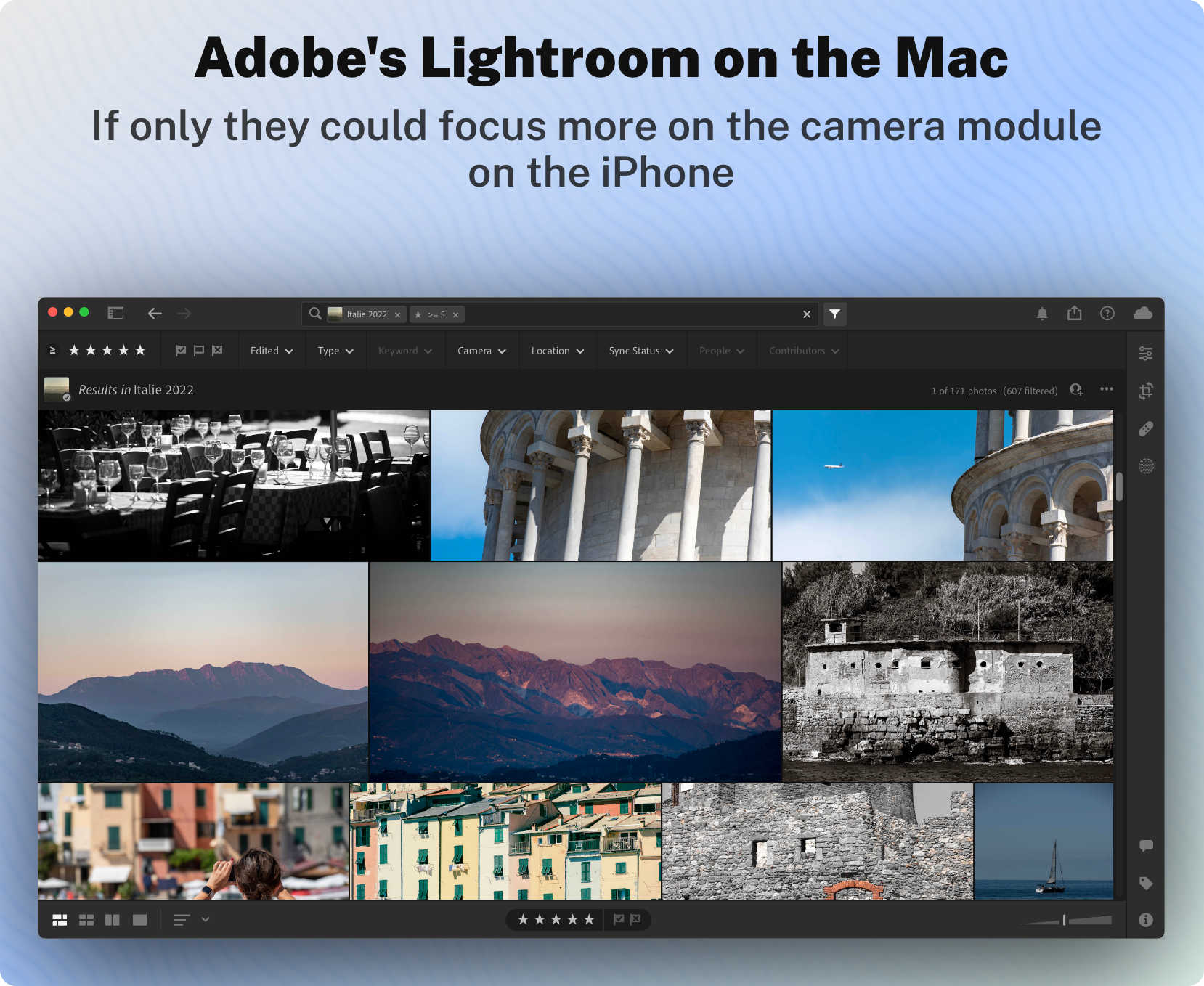
The Adobe Max conference was held this week. With each conference comes a slew of new application update releases. I’m not really into Adobe ecosystem except for using Adobe Lightroom on the Mac and the iPad Pro. This is my main photo processing engine, coupled with the excellent Pixelmator Pro. For About a year, Adobe spent some of its development money to “augment” Lightroom, a photo-processing application, with video-processing features. Why? I don’t get it. I don’t want it.

As Adobe is adding video-processing features to Lightroom, I fear they are making it less focused and slowly becoming a bloated piece of software, on the outside but also the inside. Adobe Lightroom’s mission was to start over and make a new solid foundation apart from its aging Adobe Lightroom Classic.

I want Adobe to focus on photography; they already have video-processing apps like Adobe Premiere!

I’d love Adobe to focus on making the camera feature compete with a dedicated camera app like Apple’s camera app or Halide or Camera+. I cannot remember when the last release of Adobe touched this portion of Lightroom in significant ways. Why is it important? As a subscriber of an Adobe photography plan, I would use the Lightroom camera more, and my images would directly go to the Adobe Cloud, just like the Apple camera app saved photos in iCloud. It would be so much more convenient. I prefer Adobe cloud for my RAW images instead of having to transit my RAW photos through the Apple Photos library. The more Adobe improves the built-in camera module of Lightroom, the more I’ll stay within Lightroom while in a photography moment.