What do you use as a shortcut menu utility on macOS? (#apple #macOS)

instant bar Mac App Store page

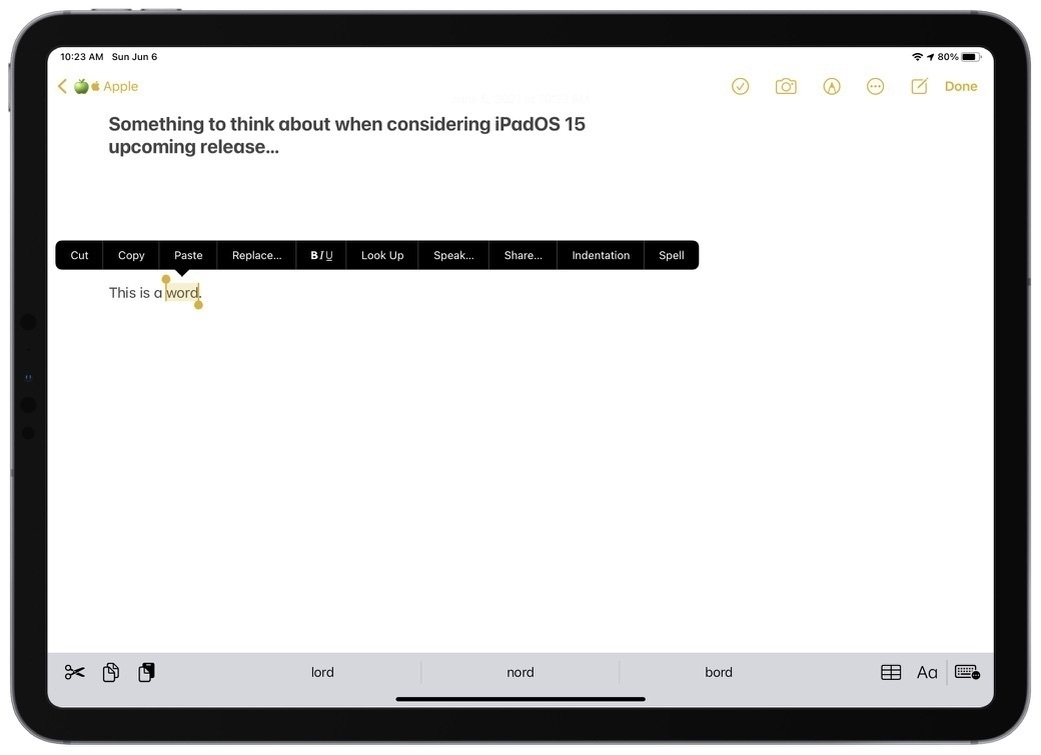
I’m currently writing a piece about the tools and services I use to help me be more efficient in my blogger workflow. Currently looking at Shortcut Bar - Instant Access on the Mac App Store. I had this utility in my list that I never bought but the features are exactly what I would like to get. Is there any alternatives to this utility? It’s a bit on the expansive side and is not yet updated for M1 Macs and Big Sur look and feel.

My still pristine M1 Mac mini is a thing of the past 😔 (#apple #m1chip #macmini #rosetta2)

Install Rosetta 2 dialog box

Can you believe it, up until today, I was still resisting the installation of any non-native applications on my M1-based Mac mini. I refrained myself from letting in any Rosetta-dependant apps to run. I shouldn’t have made a big story about this non-issue, but it’s was more psychological than anything else.

The list of non-native apps is small, but it started to negatively affect my ability to complete specific tasks. These apps waiting in line were: SafariMarkdownLinker (Safari Extension), Grammarly (Safari Extension), Adobe Creative Cloud installer (required to install the native version of Lightroom CC), 1Password.

Today, I finally let it go and went ahead with installing these remaining pieces of my application landscape. I feel good, and everything is working just fine, as expected.

A few thoughts on Twitter's Space feature (#twitter #experience #audio)

Experiencing Twitter Space

Today, unexpectedly and for the first timr, I had a chance to experience Twitter’s Space. It’s a virtual room of twitter users who can speak to each other. When there is an open space, a small icon appear at the top of your timeline among twitter fleets. Tapping on it allows you to enter the space. By default your mic is disabled. You have to request permission first in order to be able to speak. There is a speaker who controls people’s requests to speak. People who are listener can react using emojis. It’s pretty interesting, much more interesting than audio tweets in fact.

I spent maybe ten minutes chatting with the space owner about things like COVID-19, confinement in Christmas time and how to use Twitter space. Others in the room were just listeners. It was pretty cool. I can see myself using this instead of doing a podcast for example. It’s easier to setup up, doesn’t require a distribution platform to maintain. I could setup a space to talk about Apple, photography, privacy or climate change. Can’t wait to try it out with my followers, once the feature officially rollout.

Where does our data go when we die? (#digitallife #death #legacy)

Nikko macaspac 6SNbWyFwuhk unsplash

What happens with your numeric assets when you die? I mean, think of your online presence: Facebook, Instagram, Twitter, etc. Where all that stuff ends up a few years after you die? That’s the type of question “Where Does Our Data Go When We Die?” tries to answer. It’s something that I find interesting and a big challenge, something that I wrote about in my piece titled “A Guide for Preparing to Leave Your Numeric Legacy”. Long read yet very important subject.

On Apple's ProRAW: extending the range of possibilities (#apple #proraw #photography)

Picture in ProRAW format

From “ProRAW Is Here!” By Austin Mann:

I suggest turning on ProRAW when you are shooting in extreme conditions of any kinds (extremely low light, extremely high dynamic range with super bright highlights and dark shadows, mixed light temperatures, and so on). Also, use ProRAW if you plan on enlarging the images (on screen or in print).

ProRAW is about extending the possible scenarios where you can take great looking pictures. Just like in traditional photography gear, adding different lenses allow for more possibilities. It’s incredible how far iPhone photography has come since 2007. I’ll have to wait for fall of 2021 before being able to take advantage of all this as I’m not planning to upgrade to the iPhone 12 Pro. If all goes well, I should be able to bring a shinny iPhone 13 (or whatever name they give for next’s year iPhone) with me on my next trip to Europe, on October of 2021.

The shear power of Apple on its install base (#apple #ecosystem #installbase #iPadOS #iOS)

iOS and iPadOS Usage Chart

Is this new? I mean the format in which Apple is presenting the current iOS and iPadOS usage? The last time I paid attention to this, Apple was using a pie chart. I prefer this level of details. A few thoughts about these numbers are in order.

First, iPhone users are quicker to update their devices compared to iPad users. Second, Apple makes a clear distinction between devices recently introduced (in the last four years) from the rest. In both categories, the numbers shows that a vast majority of users adopt the latest release of the operating system. Third, even though people keeps their device longer than before, Apple keep supporting older devices (older than four years). All of this helps keeping the adoption rate at very high levels. Kudos to Apple.

These numbers also tell another story: Apple’s shear power over its install base is impressive. Apple has the ability to move it in new directions pretty quickly as users are quick to embrace new features, either by buying new devices or by updating their current ones because they are still supported by Apple. Will 2021 bring a different tone to this story with iOS 15? Maybe, maybe not.

The big problem with Sign in with Apple (#apple #security)

Sign in with apple jpg

Here is an issue that I ran into yesterday with “Sign in with Apple”. I suspect I’m not alone in that situation.

The excellent website building tool, Universe, came out with an update that introduces Sign-in with Apple. After updating the application on my iPad, I launch the app. I’m welcomed with a sign-in screen. The Sign-in with Apple option is prominently displayed. I tap on it. I’m then presented with the typical panel to decide if I expose my real email address and my real name. Now the troubles begin.

I’m already a user of Universe, which email did I use to create my initial account? I can’t remember. What if I choose the wrong one? I try one of my email address that I decided to reveal. Hit sign-in; after a few seconds of working progress, I’m met with welcome screen for new users. Duh. I’m trying to get back, to no avail.

This issue reveals a big flaw in Sign in with Apple: when you are already a user of a service, switching to the more secure sign-in option makes it hard to associate this login to your existing account. I ran into the same issue with most of the services where I tried to make the switch. I suspect this is hindering the adoption of an otherwise secure upgrade to traditional authentication service. Too bad.

My first contact with Apple’s Fitness+ 😍 (#apple #fitnessplus #service)

Fitness+ Workout Summary

Yesterday Apple launched their latest service offering: Fitness+. I gave it a try, and I fell in love. The first step was to update all my supported devices: the iPhone, my Apple Watch and my Apple TV. After spending a few minutes glancing at the different type of workouts, I elected to do a twenty minutes treadmill workout using my iPhone and my AirPods Pro. For this session, Jamie-Ray was my coach. As you can see, I think I made pretty well. I liked everything about the experience, from onboarding to the actual workout session with on-screen feedbacks and the finale. The music choice was good too! After my session, I gave a look at the Apple TV Fitness application. Upon launching the app, you have to select the Apple Watch associated with the person who will interact with the service. One note, if your Apple Watch name is too long, spacing on the screen won’t allow you to easily see which Apple Watch is which; you’ll have to wait so see the text to scroll, it’s a bit of an annoyance. I checked a few workout previews and sure enough, the video quality is exceptional on the Apple TV 4K.

All in all, this is a great start for Fitness+. It’s probably the best example of the whole being larger than the sum of its part. The combination of great devices, great content, great user experience, impeccable execution are the ingredients and enablers for the best experience. Bravo Apple.

Oh, I’ll try to exercise five to six days a week.