Most of the recent improvements to Ghost seem to focus on newsletters and monetization. I moved to Ghost to leave WordPress and get basic newsletter capabilities. That’s it. I appreciate Ghost’s openness to the Fediverse, but most of these improvements aren’t targeting users like me. Ninety percent of my publishing goes elsewhere… like here on Micro.blog. Maybe it’s time to reconsider a few things…
Bye bye ARC Browser Should I trust them with Dia? I’m not so sure. Moreover, I don’t want to switch to Chrome. Safari’s extensions support is lacking… what else can I do?

As Apple enters in more uncharted territories for them, I expect more controversies. A bunch of world-class designers imagining new stuff creates a fertile set of conditions. We are in exciting times again.
Surprising lack of singularity
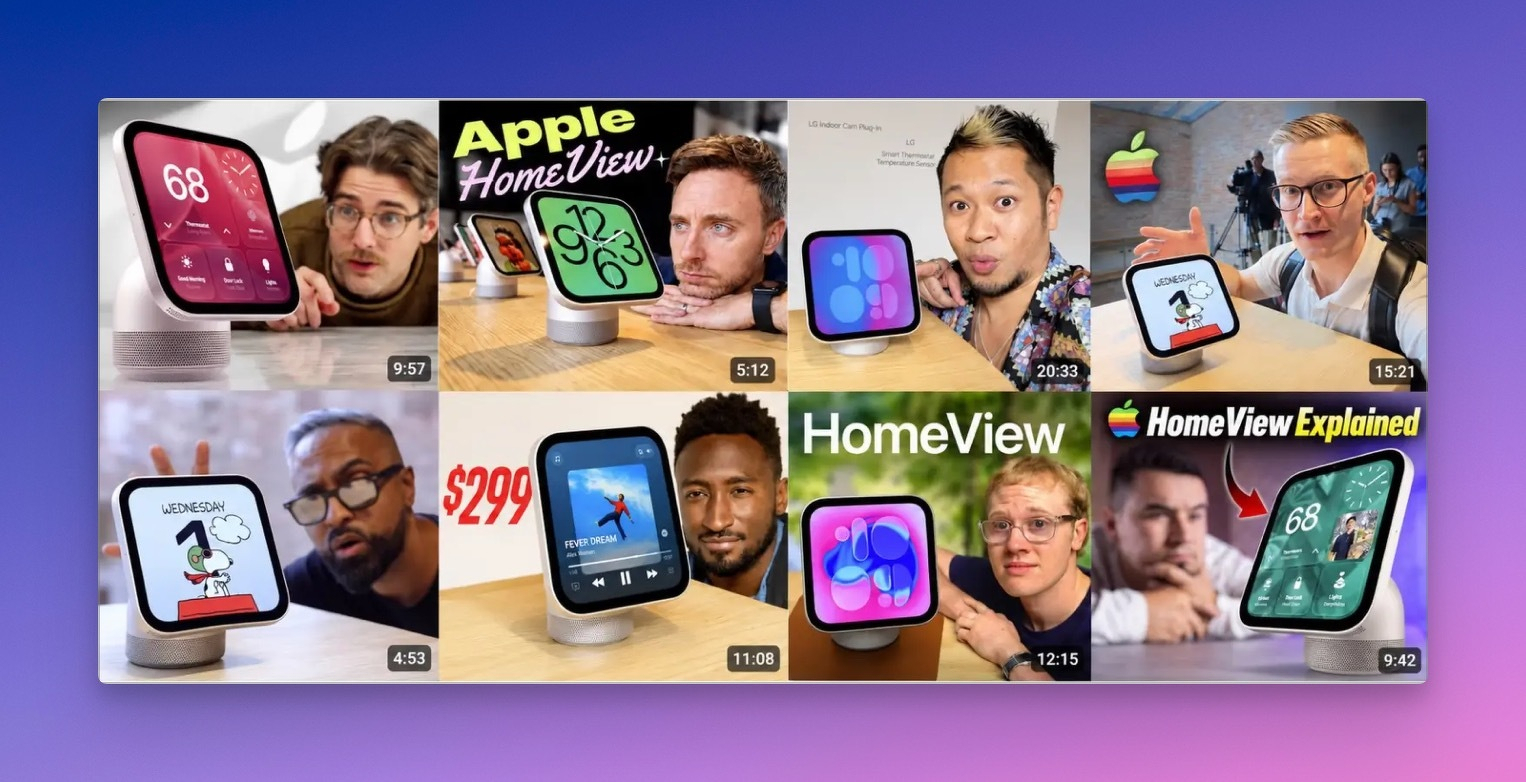
How can eight YouTubers create nearly identical HomeView commentary video thumbnails? Are they following a code of conduct? Is this AI suggestion slop? A few YouTubers go a little bit more imaginative than others, though. Fascinating. Found on Ben Thompson’s blog, in a blog post with an X.com embed1.
-
I don’t link directly to x.com by principle. ↩︎
Heard today: asking questions is a form of leadership. 👌🏻
A sick guy
According to U.S. President Donald Trump, Russia “has been fine on Ukraine” and “hasn’t been doing much” to the country it has been attempting to violently conquer for over a decade.
“Russia, frankly, has been fine on Ukraine. They haven’t been doing much,” Trump told reporters on Oct. 19.
This guy is sick. There is no other sound way of putting it. Are the mid-terms the cause of his behaviour?
I added a shuffle option on Trails to display a photo from a randomly selected trail. Enjoy.
The Hidden Potential of Apple Invites
I had a funny idea today. After updating the Apple Invites app, I wondered whether it could be used to create a photo-sharing space for a small group of people, since its features rely on iCloud services. It seems to have everything you need: a welcome page, albums, links to external websites, and options for managing guests and comments. I created a fake invitation to test the RSVP process from start to finish, and I have to say that signing up seems to be the weak point for now. An Apple Account isn’t required, but at first glance, that isn’t very clear. Apple Invites is iPhone-only, so there’s no iPad or web version for content managers. Too bad. Yet, something to think about.
Micro.blog > Ghost
My Ghost subscription is up for renewal in mid-November. Even on the lowest tier, it’s rather expensive at $300 US. It’s tempting to compare Ghost’s value proposition with Micro.blog’s. Ghost is heavily leaning toward newsletters. I’m not using Ghost enough because I share longer pieces there, which are harder to come by. There is no contest: Micro.blog wins at two-thirds the price.
Ordered, now patiently waiting
I ordered HomeView and should receive it by the end of November. It feels like a long wait for a device like this, but I’ll be travelling for much of that time. Lukewarm reception didn’t change my mind. I’ve always wanted something like this, a device that isn’t managed like an iPad or iPhone. If my experience with it is good, I’ll probably get one for my home office, too. And no, I don’t have the busy daily life the HomeView ad portrays.